

More traffic does not always mean more business. A service page can attract extra visitors while enquiries stall, or generate fewer enquiries that turn into better customers. The website metrics that predict business growth are the ones that show where a relevant visitor moves forward, where they stop, and whether the eventual lead becomes a customer.
The direct answer: follow five connected signals: qualified search demand, progress on important landing pages, confirmed enquiries, qualified enquiry rate and customer yield. Read them by page and acquisition source, then compare like periods. No single percentage can tell you that a business is growing.
Which website metrics actually predict business growth?
Organic traffic share, engagement and returning visitors can provide useful context. On their own, they cannot show whether a visitor found the right service or became a customer. A business with a strong referral channel may have a low organic share and excellent growth. A research article may have modest engagement by GA4’s definition and still influence an enquiry later.
The useful move is to connect the journey. Contentsquare’s 2025 benchmark analysed 90 billion sessions across 6,000 websites. In its comparison of late 2023 with late 2024, cost per visit rose 9% while conversion rates fell 6.1%. Those are aggregate observations, not a forecast for your website. They show why buying more visits without examining the path to a customer can be expensive.
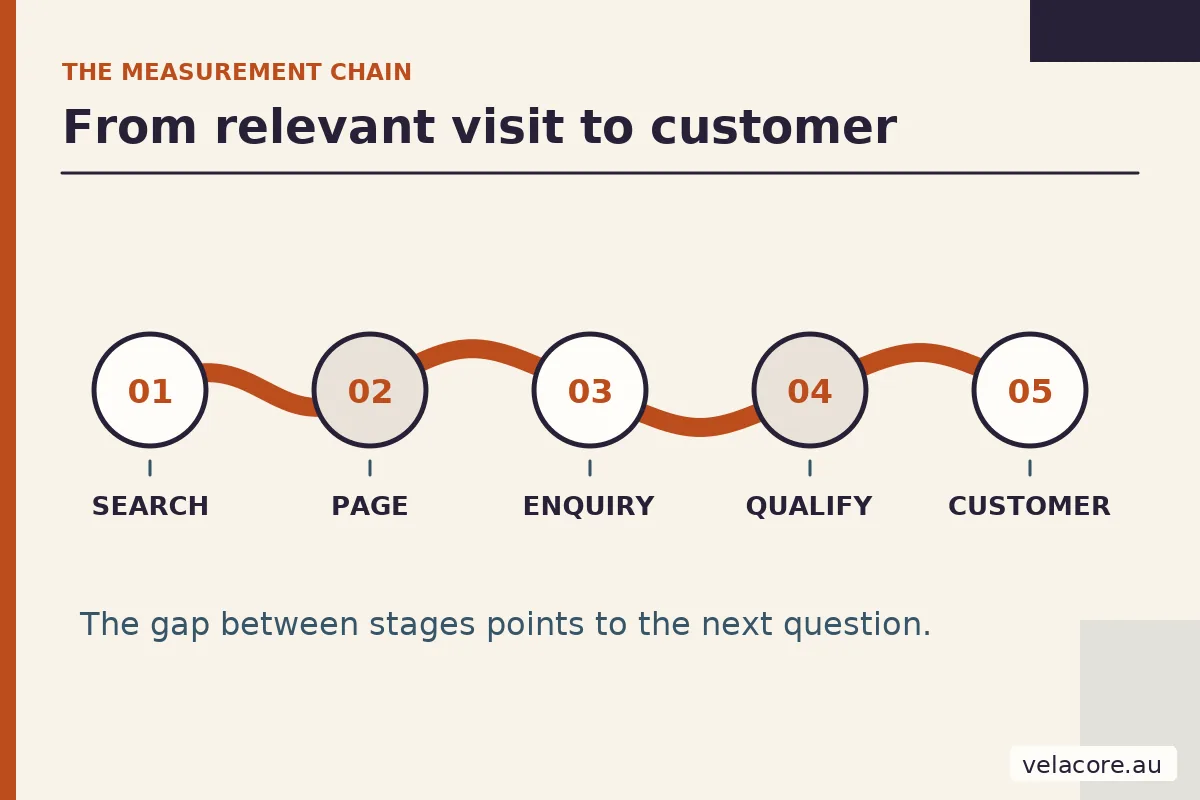
| Signal | Measure | Start with |
|---|---|---|
| Relevant search demand | Clicks to priority service pages from queries that match your offer | Search Console, filtered by page and query |
| Page progress | Engaged visits and movement toward an enquiry by landing page and device | GA4 Landing page report and a real task test |
| Confirmed enquiries | Accepted and delivered enquiries divided by relevant visits | Form records, inbox or CRM, with GA4 events checked |
| Qualified enquiry rate | Enquiries that fit your agreed criteria divided by total enquiries | CRM or lead review log |
| Customer yield | Customers won from qualified enquiries, by source where known | CRM or sales records joined to source data |
1. Are the right searchers reaching the pages that sell your service?
Start in Search Console’s Performance report. Filter to a priority service page, then inspect the queries that produced impressions and clicks. Separate searches for your brand from searches describing the problem, service or location. A rise in branded clicks can be good news, but it does not show whether new buyers are finding your service pages.
Look for three patterns:
- Relevant impressions rising, clicks flat: check the query, title and result snippet. The page may be visible but fail to earn the visit.
- Clicks rising on informational posts, service-page clicks flat: check whether readers have a clear, useful path to the relevant offer.
- Priority-page clicks falling: compare the same season, country and device, then inspect the affected queries before changing the page.
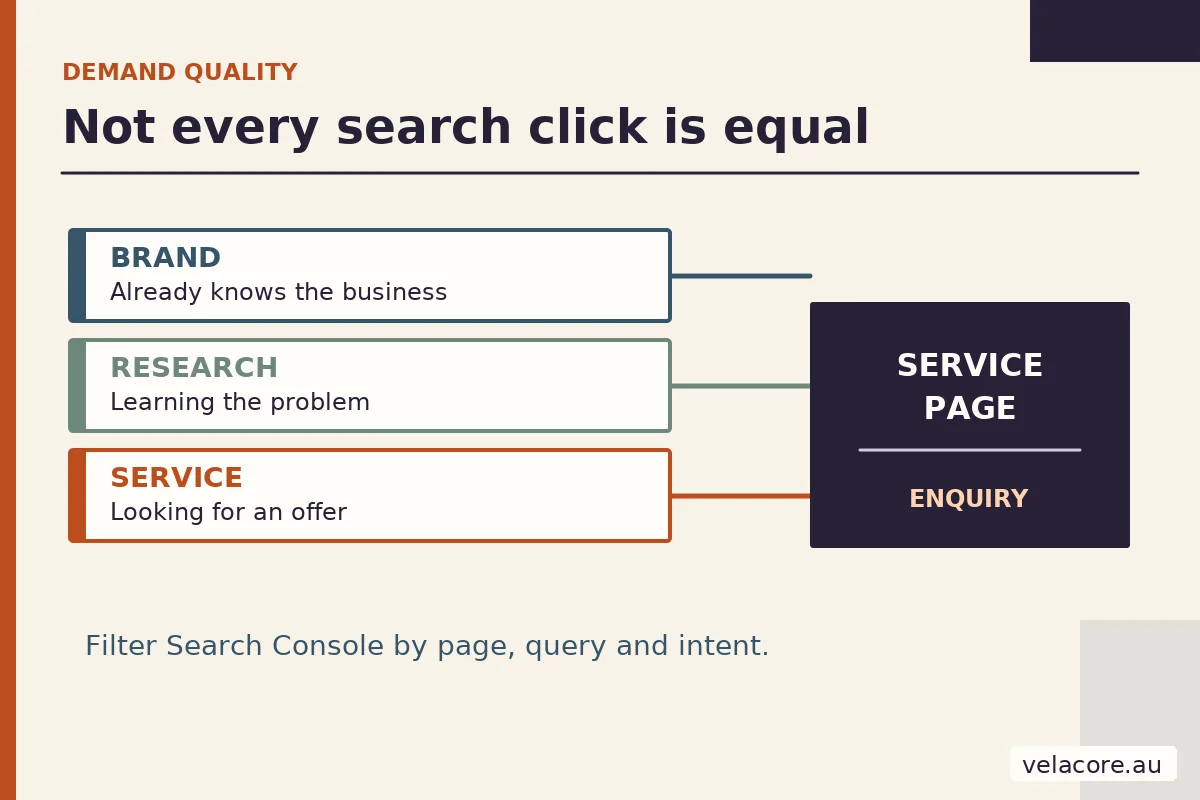
Search Console counts a click on a Google result; GA4 counts sessions under its own collection and attribution rules. Their totals will not match exactly. Use Search Console to understand discovery and GA4 to inspect what happened after arrival. The Search Console counting guidance also explains why page and property totals can differ. Search visibility becomes commercially useful when the right page earns the right visit.
2. Do those visitors make progress once they arrive?
Open the GA4 Landing page report and compare important service pages by device and session source. Google defines an engaged session as one that lasts at least 10 seconds, records a key event or has at least two page or screen views. That makes engagement rate a useful screening signal, but not a verdict on the page. A configured key event can influence the number, and a short visit can still end in a phone call.
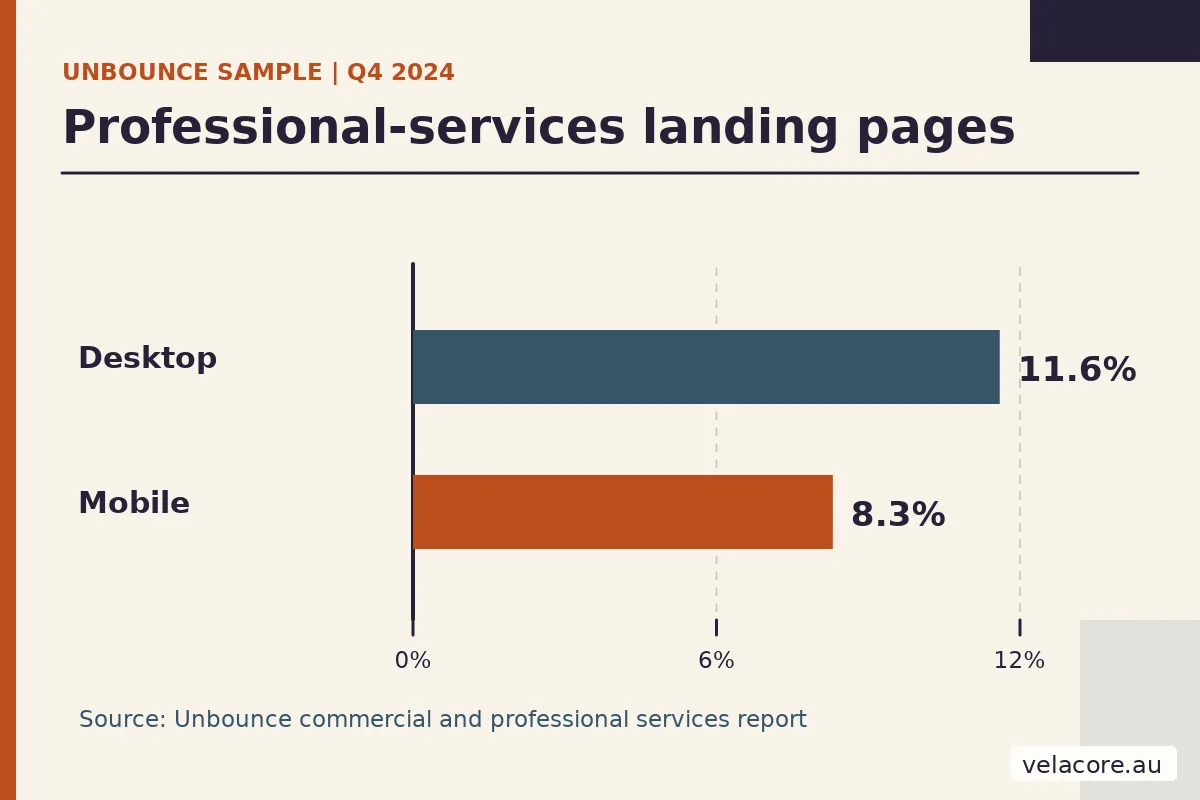
Device differences deserve a closer look. In Unbounce’s commercial and professional services landing-page sample, 81% of visits came from mobile devices. Its reported conversion rates for the device segments were 8.3% on mobile and 11.6% on desktop. These are landing-page sample figures, not targets for every Australian service website. The gap makes a practical question urgent: can your mobile visitor understand the offer and finish the next step?
| Device segment | Reported rate | Source |
|---|---|---|
| Desktop | 11.6% | Unbounce report |
| Mobile | 8.3% | Same report |
On your own site, compare one page on a real phone and desktop. Try to identify the service, find proof, open the form and submit it. Our website customer-journey audit walks through that task in detail. When mobile engagement or enquiry completion falls behind, the task test tells you where a rate alone cannot.
3. How many visits turn into confirmed enquiries?
An enquiry button click is not a lead. A form start is not a lead either. The useful number is the share of relevant visits that become enquiries your business actually receives. Divide confirmed enquiries by sessions on the chosen service page or by visits from the chosen source, and keep that denominator consistent when comparing periods.
GA4 can help locate the break. Its enhanced measurement includes form_start and form_submit events when form interactions are enabled. But form_submit describes a browser action; the server or inbox should confirm that the enquiry was accepted and delivered. Test one submission end to end, including the success message and destination mailbox or CRM record.
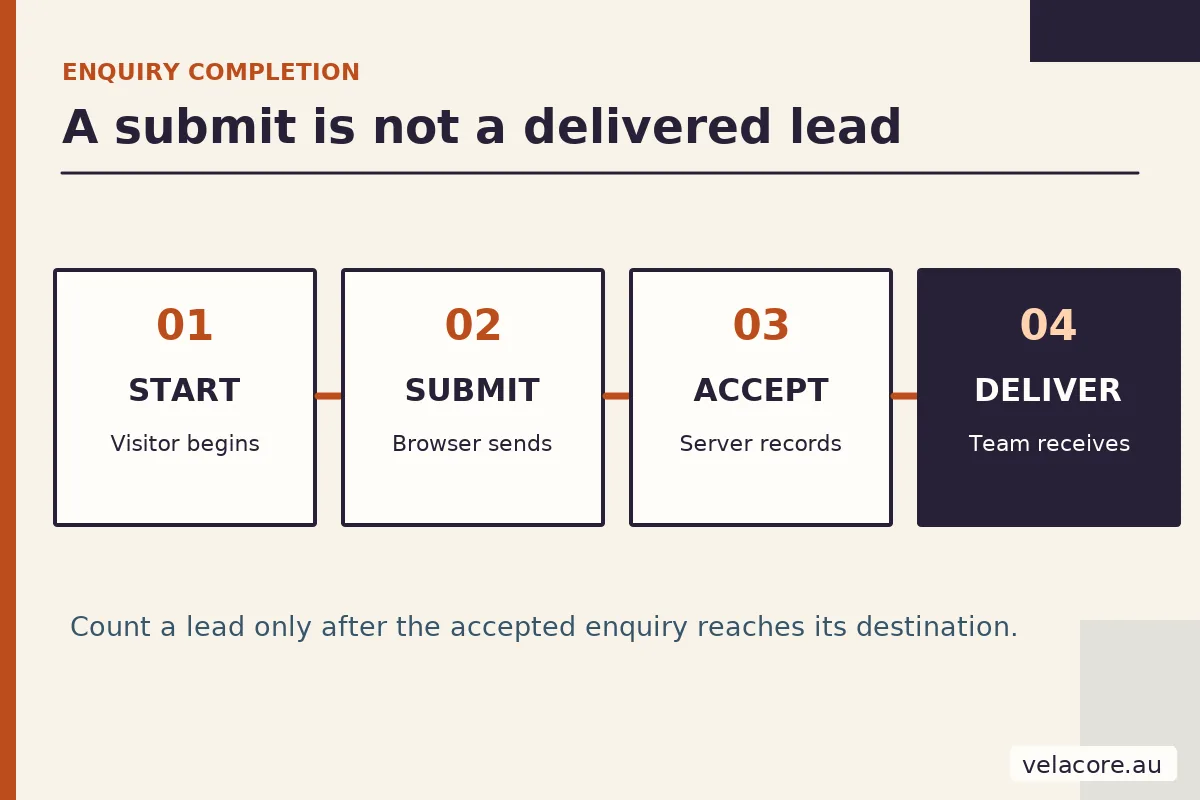
If many people start but few finish, inspect field burden, errors and mobile controls. If completed submissions are healthy but the business receives fewer messages, investigate delivery or CRM routing. If hardly anyone starts, return to the page promise and call to action. The first broken hand-off is the next repair.
4. Are those enquiries a fit for the work you sell?
More form submissions can hide weaker demand. Define a qualified enquiry with the person who handles sales: a real need you serve, a workable scope, a location you cover and a plausible next step. Do not turn this into a rigid budget gate that rejects a promising conversation before it begins. Log the reason an enquiry fits or does not, then compare the qualified share by landing page and acquisition source.

Google’s recommended GA4 lead events distinguish generate_lead from qualify_lead and close_convert_lead. Your CRM or sales log remains the place to make and review those decisions. If you connect outcomes back to analytics, use an approved measurement design and keep names, email addresses and other personally identifiable information out of GA4, as Google’s data policy requires.
5. Which qualified enquiries become customers?
This is the reality check for the earlier metrics. Count customers won from qualified enquiries, then group them by original source where your records support that link. The website may create the first useful contact while the sale closes weeks later by phone or email. GA4 alone will not know the full sales outcome unless that status is deliberately sent back; a CRM record gives the team an accountable place to track it.
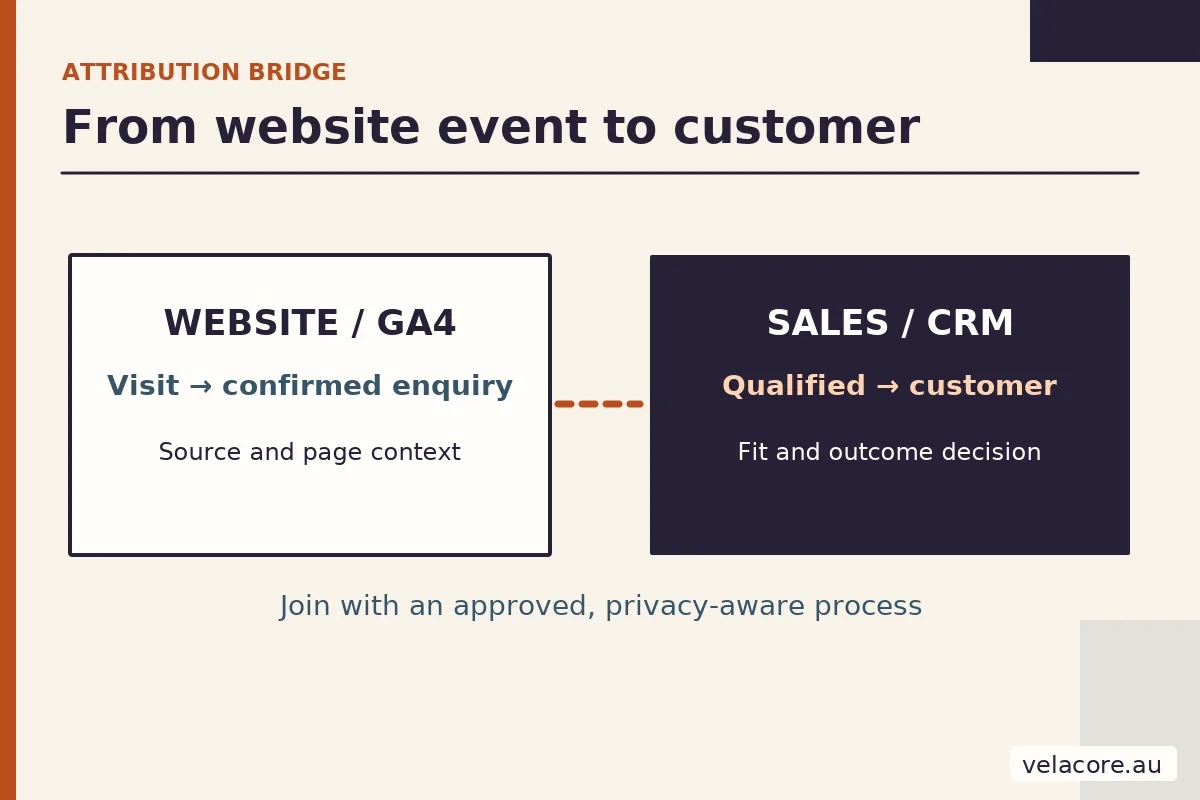
Consider this illustrative example, not a Velacore client result. In one period, 1,000 relevant service-page visits produce 40 enquiries, 12 qualified enquiries and 3 customers. In the next, 1,200 visits produce only 36 enquiries, but 18 are qualified and 5 become customers. The raw enquiry count fell. The business outcome improved. That is why a dashboard should show both the early signal and the eventual result.
How do you use the five metrics without building a giant dashboard?
Review the same priority service pages and sources each month, with a longer comparison when sales cycles are slow or demand is seasonal. Keep one row per page and source, not one blended site-wide percentage. Include a note about changes to campaigns, forms or tracking so a reporting change is not mistaken for a customer change.
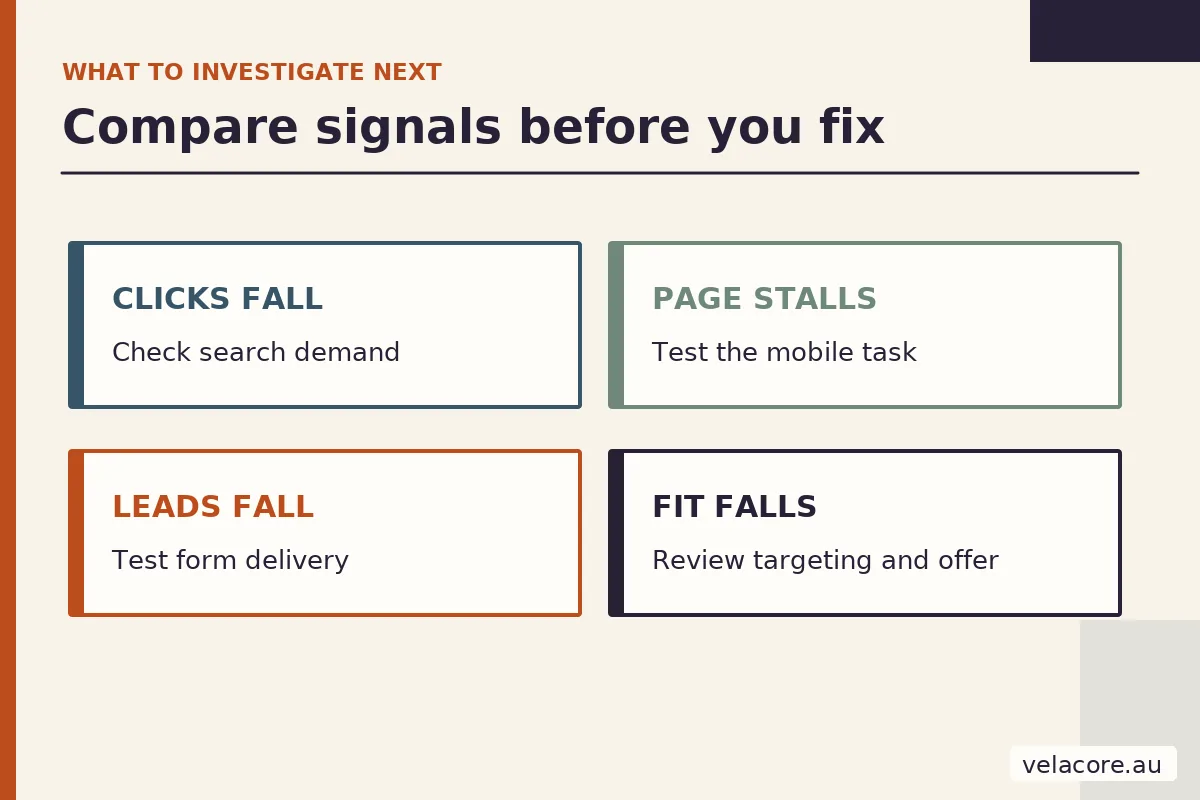
- Relevant clicks fall, but the page still converts: investigate search demand, query coverage and snippet fit.
- Clicks hold, page progress weakens: test the mobile task and the promise on the landing page.
- Form starts hold, confirmed enquiries fall: check validation, delivery and routing first.
- Enquiries rise, qualified share falls: inspect traffic targeting and how the offer describes its scope.
- Qualified enquiries rise, customers do not: examine follow-up, proposal fit and sales capacity before rebuilding the website.
If the break is on the page or in the form, a targeted repair may be enough. If it repeats across services because the site’s content or technical structure cannot support the journey, compare the scope of a website redesign. The goal is not a prettier dashboard. It is a clearer path from a visitor’s need to a customer relationship.
Frequently asked questions
Is organic traffic share a reliable growth benchmark?
No universal organic-share target fits every business. A strong referral, partner or email channel can lower organic share while sales grow. Look at relevant clicks to priority pages and the qualified enquiries those visits produce.
What is a good engagement rate in GA4?
Compare similar pages, sources and devices against your own baseline. GA4 engagement includes time, page views and key events, so its rate changes with page purpose and event setup. Pair it with a real task test and confirmed enquiries.
Can GA4 tell me which leads became customers?
Only if later lead and customer outcomes are deliberately recorded or connected. GA4’s recommended events support those stages, but the sales team or CRM must first decide which enquiries qualified and which became customers. Do not send personal contact details to GA4.
How often should a small business review these metrics?
A monthly review is practical for many service businesses. Use longer windows when volumes are low or sales cycles are long, compare like seasons and act on a repeatable pattern rather than one noisy week.
Which metric should I fix first?
Find the earliest verified break in the journey. If qualified search clicks are falling, start with discovery. If the right visitors arrive but cannot submit a form, fix that path. If enquiries reach the team but few fit, review targeting and the page promise.