
Your search rankings look familiar, but the visits have thinned out. Do you rewrite every article, chase AI citations, or accept that the clicks are gone? Start by separating those possibilities. A lower click-through rate does not always mean fewer people visited, and a drop in visits does not prove that an AI Overview caused it.
To recover traffic after AI Overviews, start with a page-level decision: identify whether the page lost visibility, lost clicks while remaining visible, gained AI exposure without earning visits, or kept its visits but stopped producing enquiries. Each pattern needs a different response. Put effort into pages where a better search result, more useful content, or a clearer path to contact can change a real business outcome.
The goal is to recover valuable visits, not to recreate a historical CTR at any cost.
Can you recover traffic after AI Overviews?
Some informational searches now end on Google’s results page. In a Pew Research Center study of browsing by 900 US adults in March 2025, people clicked a traditional result in 8% of visits to search pages with an AI summary, versus 15% where no AI summary appeared. They clicked a link inside the summary in only 1% of those visits. The study observed behaviour; it does not predict how many clicks any one business can win back.
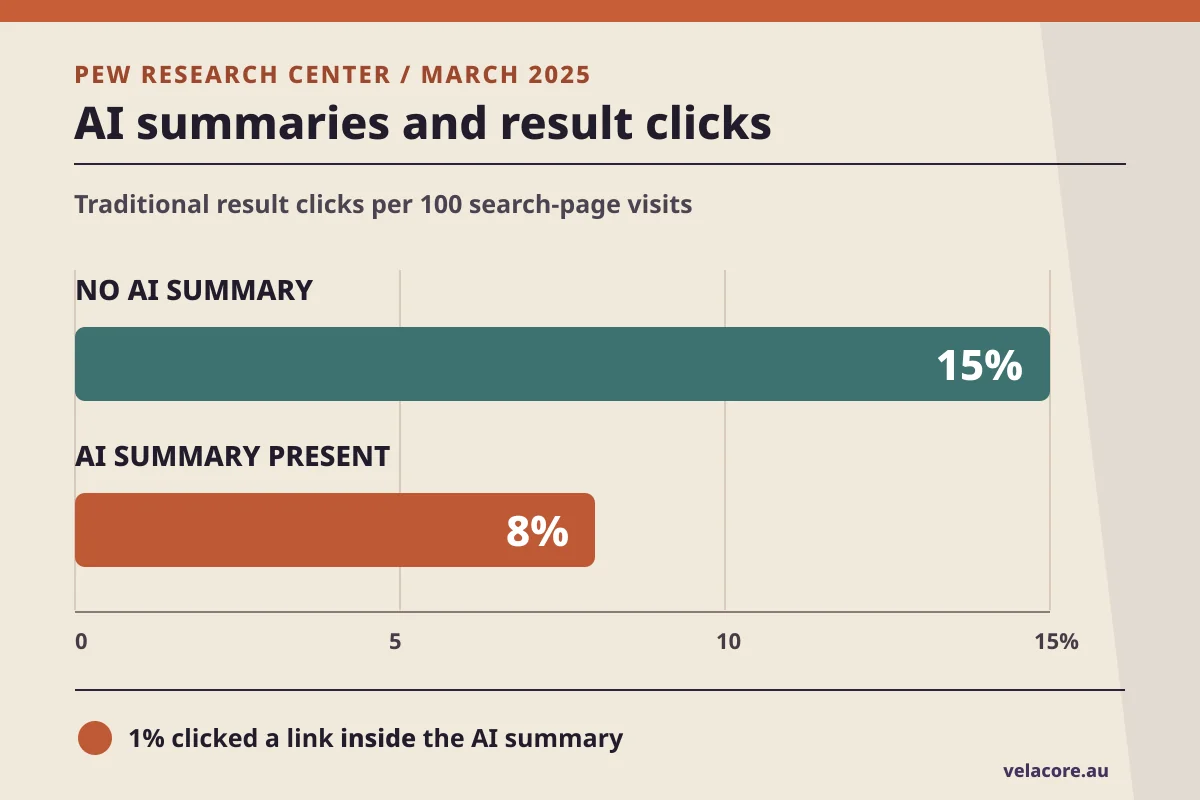
| Search page | Clicked destination | Visits with a click |
|---|---|---|
| No AI summary | Traditional result | 15% |
| AI summary present | Traditional result | 8% |
| AI summary present | Link inside AI summary | 1% |
Ahrefs analysed 300,000 keywords using aggregated desktop Search Console data. Its December 2025 comparison estimated that a position-one result had 58% lower CTR when an AI Overview appeared than the modelled rate without it. That is a useful warning about the size of the click challenge, not a formula to apply to your own traffic report.
There is another trap. In Seer’s research on educational and informational queries, organic CTR also fell for queries *without* AI Overviews: from 2.72% in June 2024 to 1.62% in September 2025. AI features matter, but they are not the only reason a search result may attract fewer visits.
You cannot force every quick-answer search back into a website visit. You can, however, protect the searches that require a decision, comparison, example, tool, price, specification, or conversation. Those are the pages worth rescuing first.
Why a falling CTR can send your recovery plan in the wrong direction
Click-through rate is clicks divided by impressions. If the impression count grows faster than the click count, CTR falls even when visits hold steady. That sounds elementary, but it can reverse the order of your recovery work.
Seer’s 2026 AI Overview analysis contains an instructive segment for brands cited in AI Overviews. From September to October 2025, recorded impressions rose from 15,797,234 to 33,100,739. Clicks moved from 398,798 to 400,271. CTR fell from 2.52% to 1.21%. In this segment, the rate nearly halved while the absolute number of visits remained roughly flat.
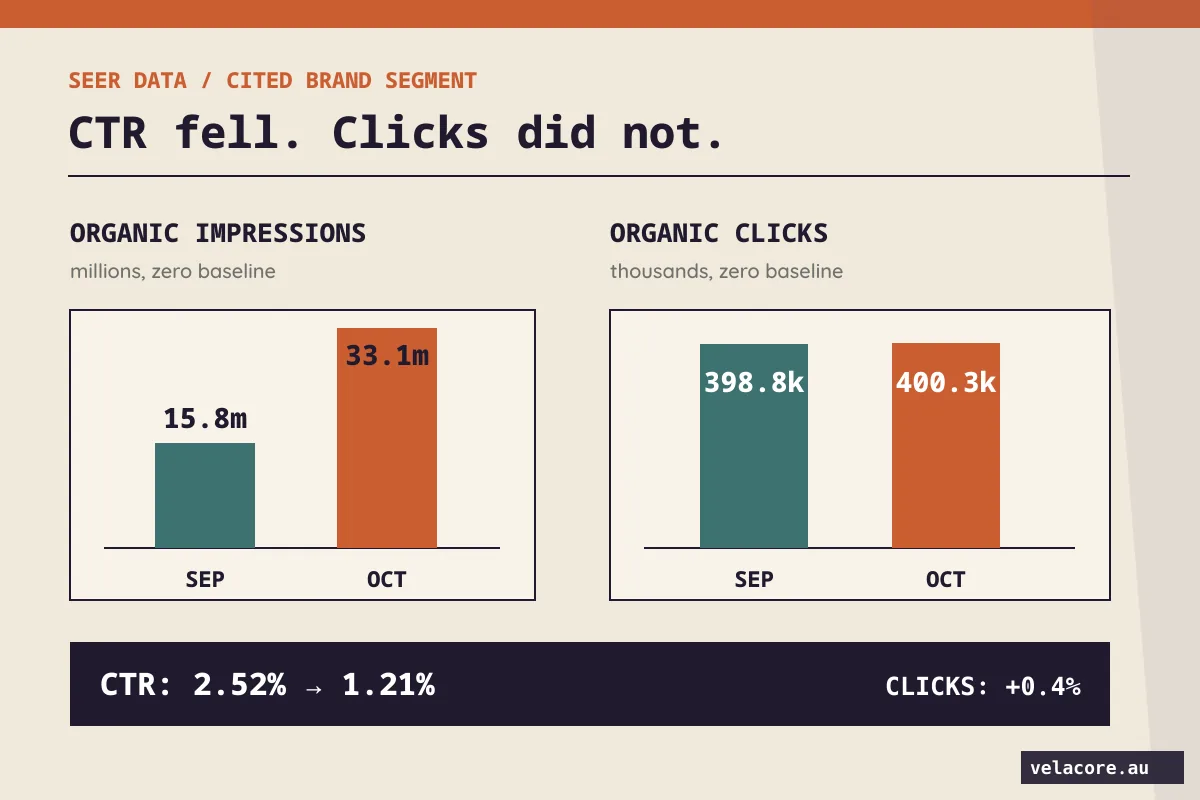
| Month | Organic impressions | Organic clicks | Organic CTR |
|---|---|---|---|
| September 2025 | 15,797,234 | 398,798 | 2.52% |
| October 2025 | 33,100,739 | 400,271 | 1.21% |
Those are aggregated agency figures, not a forecast for your site. The decision lesson is stronger than a forecast: never put a page into a recovery queue because its CTR fell until you check what happened to clicks, impressions and business outcomes separately.
Which three reports reveal what changed?
You do not need a new paid dashboard to make the first decision. Use the reports that measure different parts of the journey, and keep their boundaries clear.
- Search Console, Web results: filter to a page or page group, compare equal periods, and inspect clicks, impressions, average position and the visible query themes. Google’s traffic-drop guidance recommends checking ranking, indexing, demand and result presentation before deciding what caused a decline.
- Search Console, generative AI performance: check whether a page received impressions as a link in AI Overviews or AI Mode. Google’s dedicated report was introduced in June 2026 and rolled out worldwide by August. It reports AI-feature impressions by page, country, device and date. It does not show the full query-to-click-to-customer path, and it may be unavailable when a site lacks sufficient impressions.
- GA4 and your lead records: review the landing page’s Google organic sessions and key events, then look at actual qualified enquiries or sales. Google’s Search Console and Analytics guide explains why search visibility and on-site outcomes belong together. Treat a recorded enquiry as an outcome, not every session as a potential sale.

- Search resultsClicks + impressions
- AI featuresLink impressions
- On-site outcomesSessions + enquiries
Keep the same dates and canonical page URL when you compare the reports. Do not subtract AI-feature impressions from Web impressions; Google’s AI-feature data is already included in the overall Search performance data. Also do not add the visible query-table rows and assume they equal the page total. Search Console can omit anonymised queries from that table.
For a first pass, choose the latest complete 28 days and the preceding 28 days. If seasonality matters, compare the same period a year earlier as well. An annual comparison is only useful when the page existed in both periods.
What should you fix first on each type of page?
Write down the observable pattern before discussing tactics. A sitewide content rewrite makes little sense if the real problem is that an important page stopped being indexed. Equally, a technical audit will not recover a visit that the searcher no longer needs to make.

| What changed | Check next | First useful action |
|---|---|---|
| Impressions and position fell | Indexing, crawl access, demand and competing pages | Restore technical access or improve the page’s relevance and evidence |
| Impressions held, clicks fell | Actual result title and snippet, query intent, SERP features | Make the result promise specific and align the page with what the searcher still needs to visit |
| AI-feature impressions rose, visits stayed flat | Whether the page offers a decision aid beyond the answer | Add original proof, a useful comparison, tool or next step appropriate to the intent |
| Visits held, qualified enquiries fell | Offer clarity, mobile conversion path, form delivery and lead quality | Repair the enquiry journey before publishing more top-of-funnel content |
Average position is an average across changing searches and contexts, so use it as a clue rather than a verdict. Google also warns that a modest position change may not justify radical page changes. If a page has a serious decline, check the actual query and URL pattern before editing it.
How do you choose pages worth recovering?
Sort by *business consequence*, not by the biggest red percentage in a dashboard. A broad definition article may lose thousands of low-intent visits. A service comparison page may lose fewer visits but more conversations with serious buyers. The second page can deserve attention first.
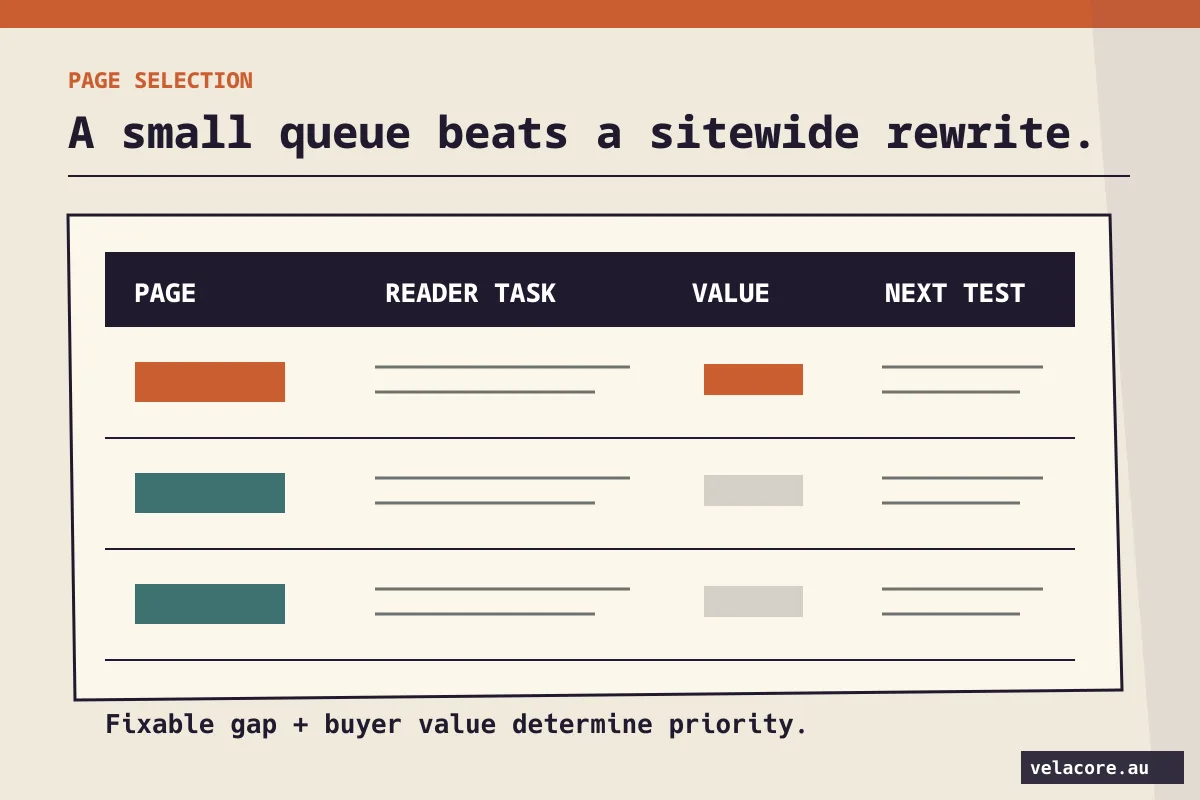
Build a small queue with five fields for each candidate URL:
- Reader task: What decision brought this person to the page?
- Observed change: Did clicks, impressions, AI-feature exposure or enquiries move, and over what dates?
- Business value: Has this page historically supported a relevant enquiry, product choice or sale?
- Fixable gap: Is the problem technical, editorial, result presentation or conversion?
- Next measurement: Which one or two outcomes would show that the change helped?
Imagine an ERP comparison page that once helped buyers shortlist platforms. Its clicks fell, but it still appears for comparison searches. Before writing three more broad “what is ERP” articles, check whether the comparison has current platform criteria, implementation trade-offs, pricing boundaries and a clear way to discuss requirements. That is an example of a useful page upgrade, not a claim about a Velacore client result.
What content gives a searcher a reason to visit?
A search result can answer a simple definition. It is harder for a brief answer to replace a working decision aid. The aim is not to hide the answer behind a click. Answer the immediate question clearly, then make the page genuinely more useful than the summary.

What counts as a reason to visit depends on the task:
- Choosing: compare named options against the same criteria, including trade-offs and the conditions that change the recommendation.
- Planning: give a checklist, worksheet or worked example that the reader can adapt to their own situation.
- Buying: explain scope, price factors, delivery process, proof and what happens after an enquiry.
- Learning from evidence: show original research, a transparent method or specific professional experience rather than repeating a widely quoted statistic.
Google’s guidance for AI features still points to the fundamentals: make pages crawlable, easy to find through internal links, useful to people, and supported by clear text and appropriate images. There is no special AI Overview schema that guarantees inclusion. Before producing a new page, ask whether a focused improvement to a page you already own would help the reader more.

- Answer the question
- Set useful criteria
- Compare options
- Inspect the evidence
- Choose a next step
There is still a place for clear search-result copy. If impressions hold and clicks fall, inspect the title link and snippet Google actually shows. A precise promise such as “ERP implementation cost: scope, migration and training factors” can be more useful than a vague “Complete guide” when the reader is estimating a project. Rewrite the title to match the page, not to make a promise the page cannot keep.
How do you test a recovery change without fooling yourself?
Choose one page or a small group of similar pages. Record a baseline, make a coherent change, and set a review date. If you change a title, rewrite the body, move the CTA and alter the URL all at once, you will struggle to know which decision mattered. Preserve the existing URL when the page still serves its established intent.
- Before: save the page URL, query group, 28-day clicks and impressions, AI-feature impressions if available, and qualified enquiries. Note any seasonality or recent site changes.
- Action: make one page-level improvement tied to the diagnosed gap. Examples include a clearer result title, a current comparison, original proof, or a repaired contact form.
- After: confirm the page is indexable, usable on mobile and correctly linked. Then compare equal periods. Allow time for crawling and natural variation.
- Decision: keep, refine or reverse the change based on clicks, relevant visibility and qualified outcomes, not CTR alone.
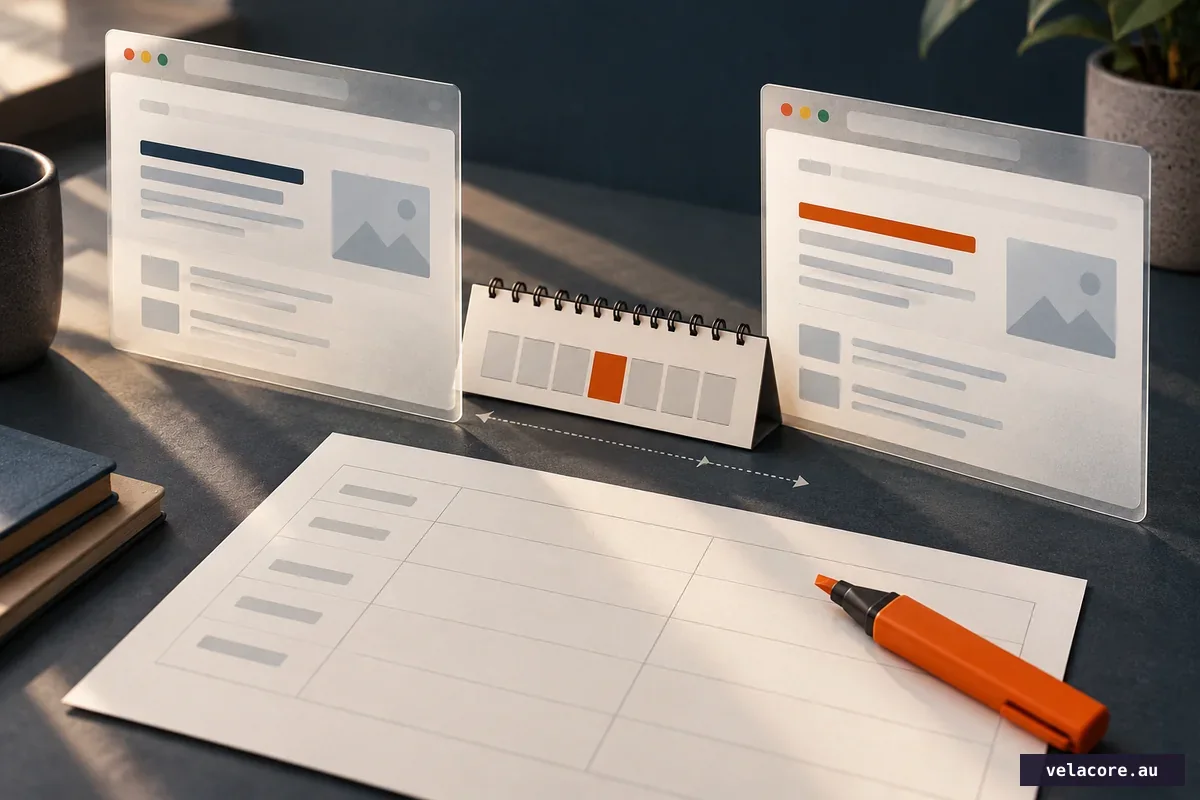
Google notes that some changes appear in Search within days while broader reassessment can take longer. Its traffic-drop guide recommends allowing at least a few weeks before judging whether a change helped. Avoid celebrating one good day or condemning one quiet weekend.
A sensible first month is enough to establish a baseline, choose a few commercially important pages, repair their most obvious gap and start watching results. It is not a deadline by which Google must return the clicks.
Where should you start tomorrow?
Start with three pages, not the whole site. Pick one page that lost visibility, one that kept visibility but lost clicks, and one that still attracts visits without enough qualified enquiries. Use the three-report view to decide whether each page needs technical repair, a stronger reason to visit, or a better conversion path.
If you are still working out whether the fall is real and where it began, our AI Overview traffic-loss investigation walks through that diagnosis. For the wider search strategy, see Velacore’s SEO and AI search approach. If the numbers point to a specific page or enquiry problem and you want a second assessment, tell us which page and outcome matter.
Recovery begins when the evidence changes the next action. Keep the pages that still solve a real buyer problem, improve the ones that nearly do, and stop treating every lower CTR as the same emergency.
Frequently asked questions
Can I recover all traffic lost after AI Overviews appeared?
No reliable method can promise that. Some searches now end without a website visit. Focus on the visits connected to decisions your page can genuinely help with, and track qualified outcomes alongside click totals.
Does appearing in an AI Overview guarantee more clicks?
No. Google’s AI report measures impressions for links shown in AI features, not a guaranteed visit or lead. Pew observed that source links inside AI summaries were clicked in 1% of studied visits to those pages. The result for your pages may differ.
Should I delete articles with low CTR?
Low CTR alone is not a reason to delete a page. Check its clicks, search visibility, reader task, internal links and business contribution. If it still answers a distinct question, improve it. If it duplicates a better page, assess a content-led consolidation and preserve the useful URL signals with an appropriate redirect.
How long should I wait after changing a page?
Record a baseline, confirm Google can access the updated page, then compare equal periods over several weeks. More substantial changes can take longer to show a stable pattern. Judge the page by relevant clicks and business outcomes as well as search visibility.