

Ask AI to build a landing page and it can return polished copy, code and images in minutes. So, will AI replace CMS? For an active blog or a site several people update, usually not. AI can create the page; the business still needs a reliable way to manage what happens after launch.
A content management system (CMS) is the back office for a website's words, images and publishing decisions. Depending on its setup, it gives editors a place to find a post, change a fact, preview the result, publish it and review earlier versions. An AI website builder can create or edit the visible page. Some products combine the builder and the CMS, but page creation and ongoing content management remain different jobs.
The harder job arrives later, when a service changes, a claim needs approval, a colleague updates a price, or an old URL still receives links. AI makes these tasks faster, but someone still needs to know which version is approved, who changed it and where it is live. A small, rarely updated site can skip a conventional CMS, provided it still has a way to review, publish and recover changes.
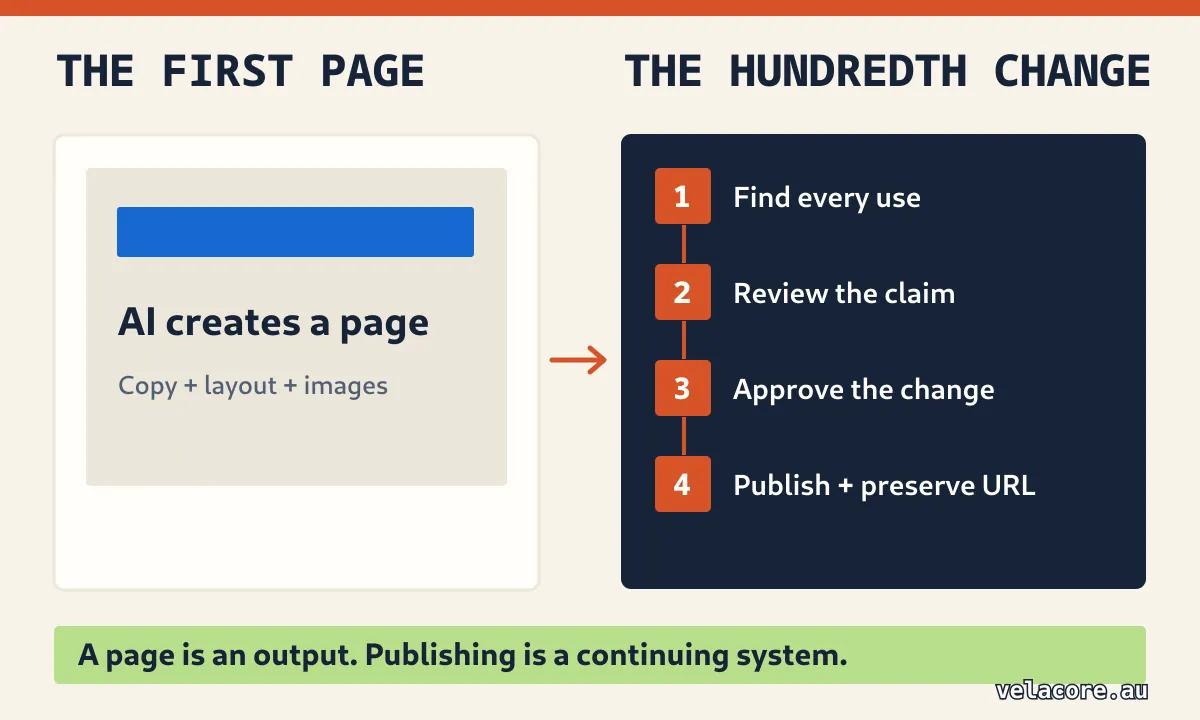
AI can build the first page. The next hundred changes still need an owner.
The first page is easy. The hundredth change is the test.
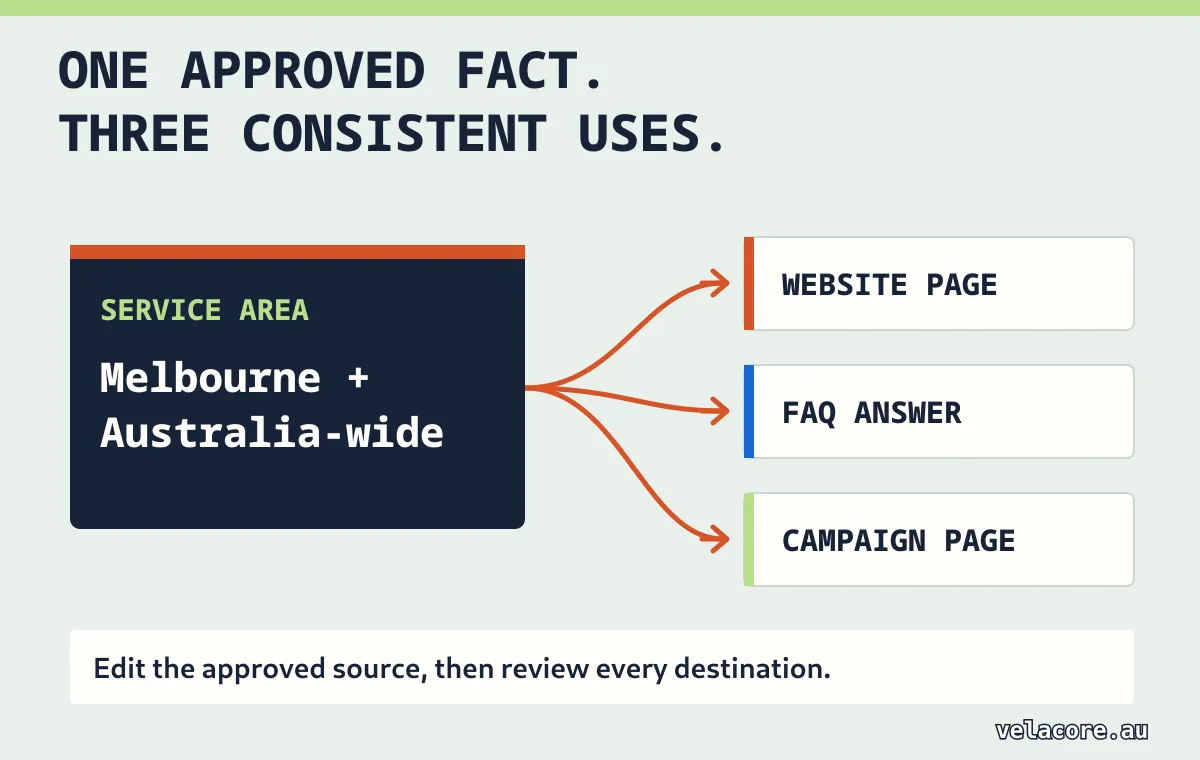
Imagine an AI-generated service page looks excellent on launch day. Three months later the business changes its service area. The old location appears in the page body, an FAQ, a social preview and two campaign landing pages. A marketer fixes one page; a sales colleague still shares another; a search result points to a retired URL. By Friday, the team is asking which version anyone should trust.
The problem was never whether a model could write the new sentence. It was finding every place the fact lives, changing the right version, reviewing the change and keeping the public addresses coherent. A well-designed CMS gives that information a defined home. It might hold one reusable service-area field, or at least provide a searchable inventory, revision history and a publishing process. AI can help find and propose edits within that system.
This is why the argument is larger than WordPress. The same operational need exists in a headless CMS, where content is managed separately from the code that presents it on a website or app. It can also be met by a custom content app or a carefully run collection of website files. The technology can change. The management function remains.
Five CMSs, five approaches to the same job
Your team might use WordPress today or be weighing Sanity or Contentful. The useful question is the same: what will help people keep content accurate after the first page goes live? Here is how five systems approach that job:
| Platform | Useful example | What remains managed when AI helps |
|---|---|---|
| WordPress | An active blog with several editors. | Posts, media and revisions that can be compared or restored. |
| Sanity | Reusable service details for a website and app. | Structured documents, references, drafts and published versions. |
| Sitecore | A large site with formal content approval. | Workflow states, editing history and a final publish decision. |
| Contentful | Content reused across campaigns and channels. | Entries, workflow steps and separate editing and publishing permissions. |
| Drupal | A multi-author site with review stages. | Revisions, moderation states and role-based transitions. |
Notice what the last column has in common. AI can help the editor in every case, but the team still needs a place to find the approved version and a way to release it. That is the workload to compare when choosing a platform.
What AI does well, and what a CMS is responsible for
Think about the work on a normal publishing day. AI can draft a post, summarise an interview, suggest an image description or spot a contradiction. It might even assemble a page and propose code changes for review. That saves real work. Once the draft exists, though, someone still has to decide whether its facts are right, which version to keep and when it may go live. A CMS, or a deliberately designed substitute, holds that record and those rules.
| Job | AI can help with | Content system and people still need to provide |
|---|---|---|
| Create | Draft copy, propose structure and suggest assets. | An approved content model, real business facts and a named owner. |
| Review | Flag contradictions and prepare a change summary. | Permission to approve, factual checking and a record of the decision. |
| Publish | Prepare metadata, links and deployment changes. | The authorised release, stable URLs, media records and rollback. |
| Maintain | Find stale references and suggest updates. | One approved version, revision history and monitoring after release. |
What happens if the AI draft is wrong after publication? In WordPress, an editor can compare and restore saved revisions. In Contentful, teams can separate editing from publishing permissions. Those are different ways to answer the same practical question: who can correct the content, and who decides that the correction is ready? The generated paragraph cannot answer that for you.
Will AI replace CMS for a publishing team?
Someone must own the source of truth
A model can answer from the information it receives. It does not inherently know which service description, product claim or campaign offer your business has approved today. If five people prompt five assistants with five versions of a brief, you can get five plausible pages. The business needs one approved record of its content and the relationships between entries, assets and channels.
Structured content matters here. A service name, price disclaimer, author, hero image and FAQ are easier to validate and reuse when they are identifiable fields rather than fragments buried in generated HTML. The exact model can be simple. The point is that approved information has one accountable home.
Publishing is a decision, not a text-generation event
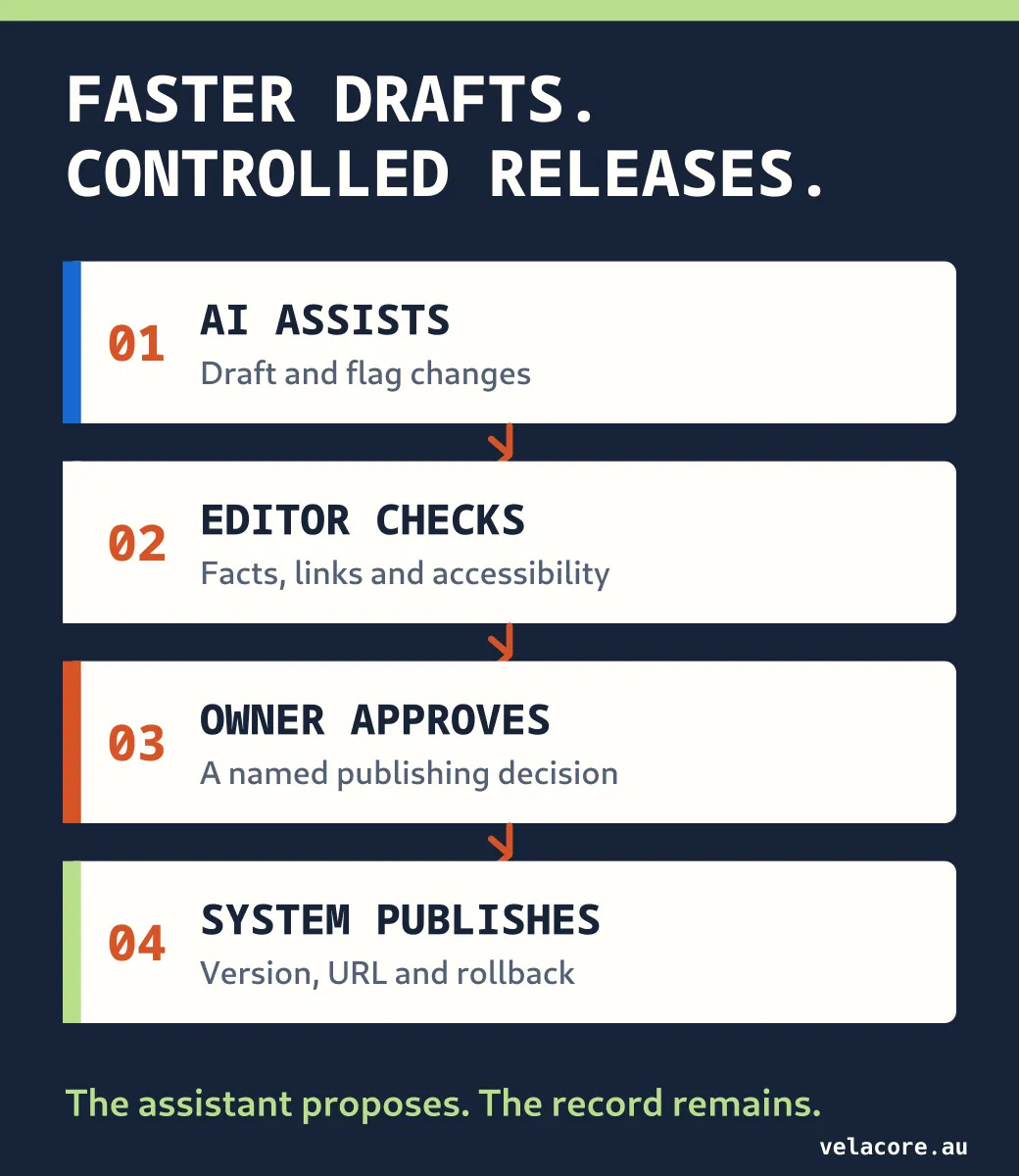
Drafting and releasing are different permissions. A subject expert may check a technical claim; a marketer may shape the message; an authorised editor may publish. A conversational interface can make that sequence less tedious, but it should not quietly collapse the sequence into one prompt.
The W3C treats CMSs as web authoring tools that should help authors produce accessible content. AI can suggest headings or alternative text, yet someone still needs to check whether the published page works for readers. Google's current guidance on generative AI content makes a similar practical point: use AI to help research and structure content, then review accuracy, relevance and metadata before it goes live. Google does not say that AI-written text is automatically disallowed; it warns against scaled pages that add little value.
A website has memory, and search engines see it
The public site has an address book: page URLs, internal links, image paths, sitemaps and canonical signals that identify a preferred URL when similar pages exist. Search engines make their own indexing decisions, but these signals help them understand the site. Replacing a template with an AI-built one does not erase that history. If a page moves, the old URL may still receive visitors and backlinks. Google's site-move guidance calls for URL mapping and appropriate redirects, along with updated internal links and a new sitemap where needed. None of that is solved by writing a better paragraph.
A redesign means little to someone whose saved link now lands on a 404.
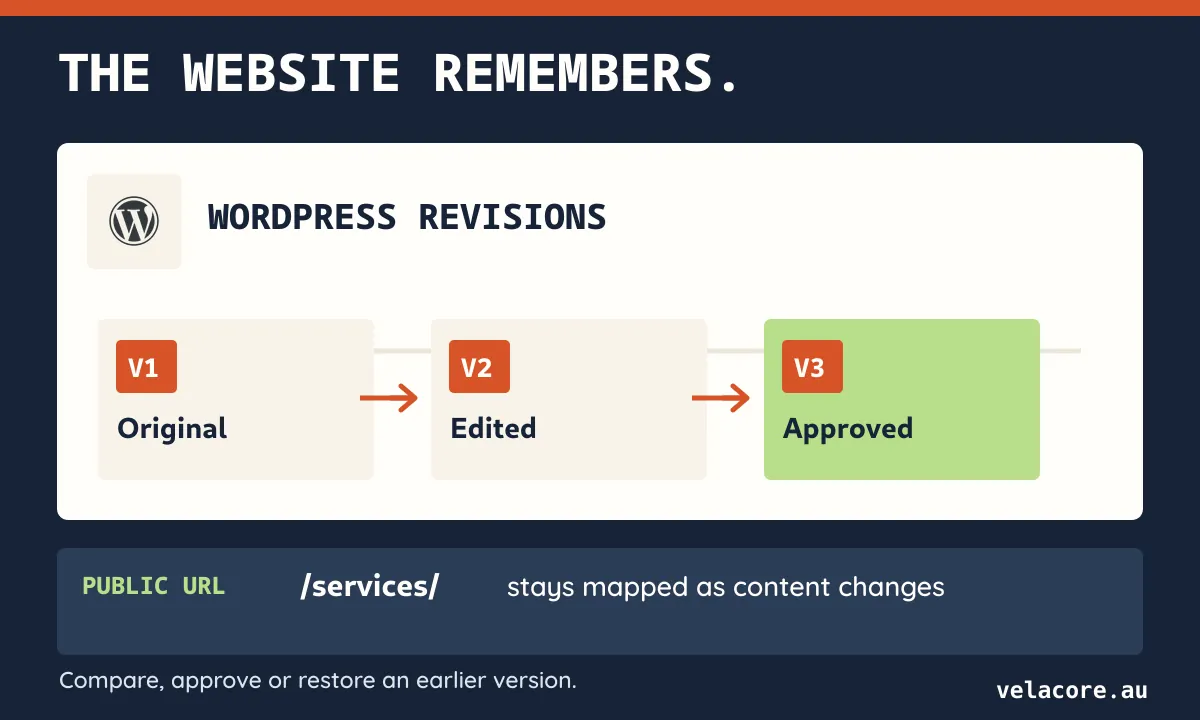
A content system also holds editorial history. When a claim is challenged, the team needs to see what was published, when it changed and how to restore an earlier version. AI may summarise the difference. The organisation still needs the underlying record.
Where the CMS interface will change
Nobody enjoys opening six screens just to add a case study. An editor could ask an assistant to create a draft entry, select approved images, propose internal links and show a preview. The assistant would use an API, a software connection to the CMS. Permissions, revision history and approval still have to be enforced by the CMS and the integration; the API call alone does not supply those safeguards. WordPress's REST API already exposes resources such as posts, revisions and media that a controlled interface can use.
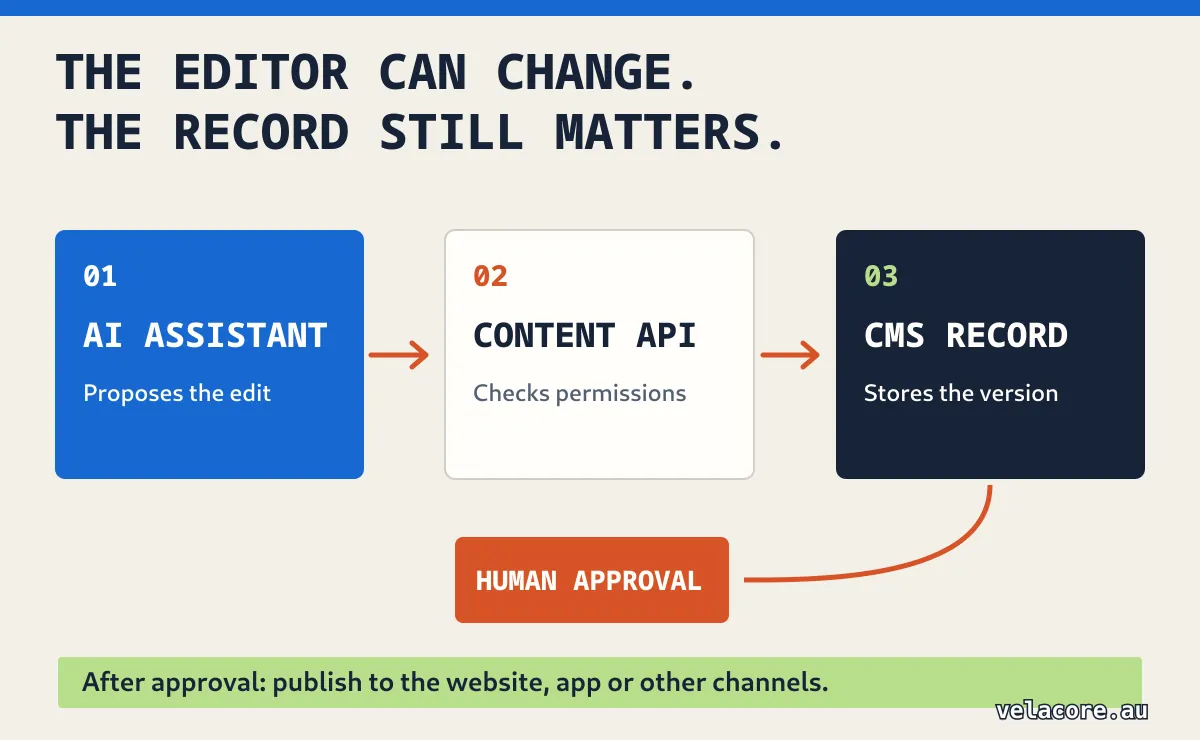
That is a better way to think about an AI-native CMS: AI becomes a powerful interface to content operations, not an excuse to abandon content operations. A well-designed assistant can remove repetitive dashboard steps. The team still needs to define its content model, review changes and connect the assistant to the right publishing controls.
This is broader than a debate about one product's dashboard. The HTTP Archive's 2025 Web Almanac detected a CMS on 55% of desktop pages and 54% of mobile pages in its dataset, up from 42% and 43% respectively in 2021. Among its top 10,000 websites, WordPress accounted for about 58% of detected CMS usage, while Drupal accounted for about 6–7%. The first figures count pages with a CMS; the last two compare CMSs within a high-traffic group. Adoption describes what sites use, not whether every site needs the same system.
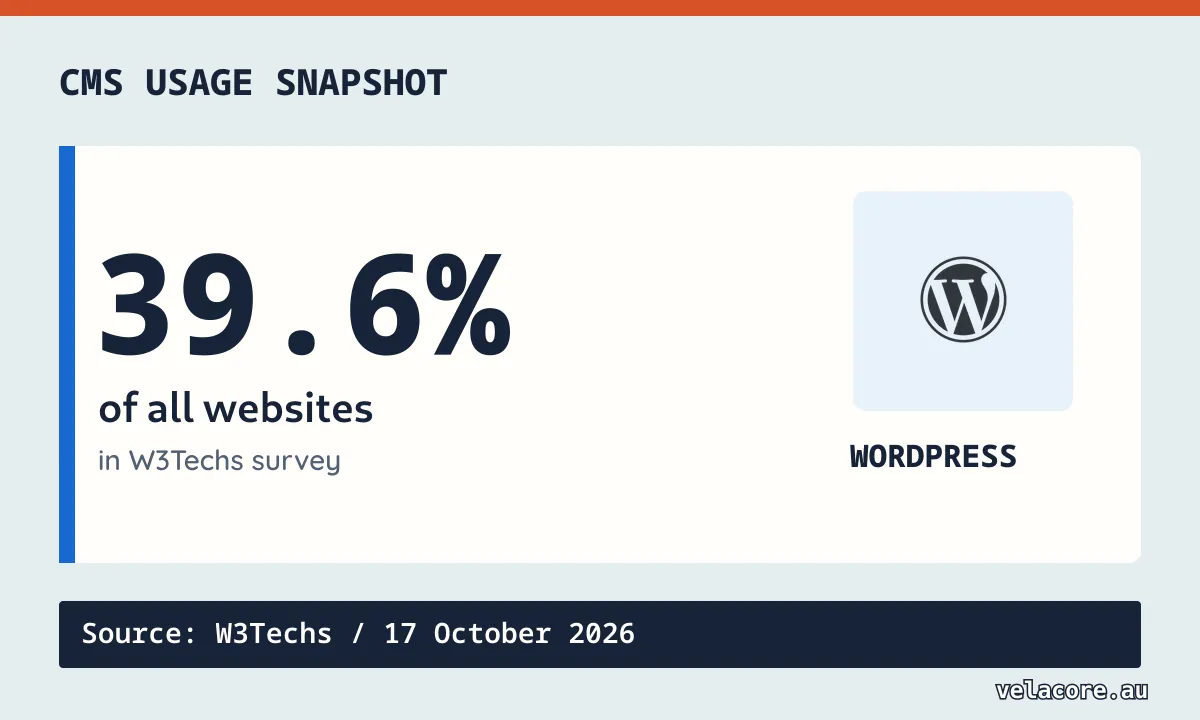
In a separate 17 October 2026 web-technology survey, W3Techs measured WordPress on 39.6% of all websites. These surveys use different samples and methods, so their percentages describe different slices of the web. The practical decision for your business is whether its publishing process matches the content it actually maintains.
Can an AI agent publish straight to your CMS?
Yes, if its account has permission to publish. That is a different decision from allowing it to prepare a draft. The WordPress Posts REST API accepts both draft and publish as post statuses, while WordPress's REST guidance separates authentication from the capability checks that authorise an action. A prompt saying “ask me first” is not the same as giving the integration draft-only authority.
The less obvious issue is where validation actually runs. Suppose the editing screen asks for a headline before an article is ready. You might expect any automated edit to face the same check. Yet Sanity says ordinary Content Lake API writes do not run Sanity Studio's schema validation rules. An automated write could therefore save a document without passing those editor checks. Sanity's schema-aware Agent Actions default to drafts, so even paths inside one CMS can behave differently.
Other platforms make different choices. Contentful creates API entries as drafts and requires a separate publish action; configured editorial tasks can block publishing until they are resolved. Sitecore XM Cloud workflows require an item to reach the final workflow state before publication. So the question to ask is not simply Can the agent edit? It is Which checks apply to the route it uses, and what can actually make that edit public?
Before connecting an agent, give it the narrowest useful job: create or edit drafts, run the same content and link checks your editors rely on, show the proposed changes, and leave the final release to a named person. Test with a deliberately incomplete draft. If it can appear publicly without the checks you expected, the integration needs work.
An AI agent should speed up the edit, not quietly inherit the publish button.
When you can skip a conventional CMS
You may not need WordPress, Contentful or another full platform for a five-page brochure site that changes twice a year. A static site serves prebuilt pages to visitors, though its source content can still come from a CMS. If your team manages the source as files instead, that can be leaner with a review step and reliable publishing process. AI can help make the changes. The trade-off is that non-technical staff may depend on someone comfortable with the files, and the team still needs previews, stable URLs, version history and a way to recover from mistakes.
The choice is not always all or nothing. A business could serve its marketing pages as static files while keeping WordPress for a frequently updated blog. Visitors still see one website, while the team uses an editor where publishing work actually happens.
The threshold changes when content becomes a living operation. A CMS or purpose-built content system starts earning its place when:
- More people touch the same content. Writers, specialists and approvers need to know which version is ready to publish.
- One fact travels. A service detail appears on landing pages, in translations or across several channels. Updating it should not become a scavenger hunt.
- Changes need a record. Frequent updates or reviewed claims need a clear history and a way to correct mistakes.
Headless systems can keep the content layer while giving developers more control over the website presentation. Our Contentful versus Sanity comparison explores that choice; our WordPress, Squarespace and custom website comparison covers the broader build decision.
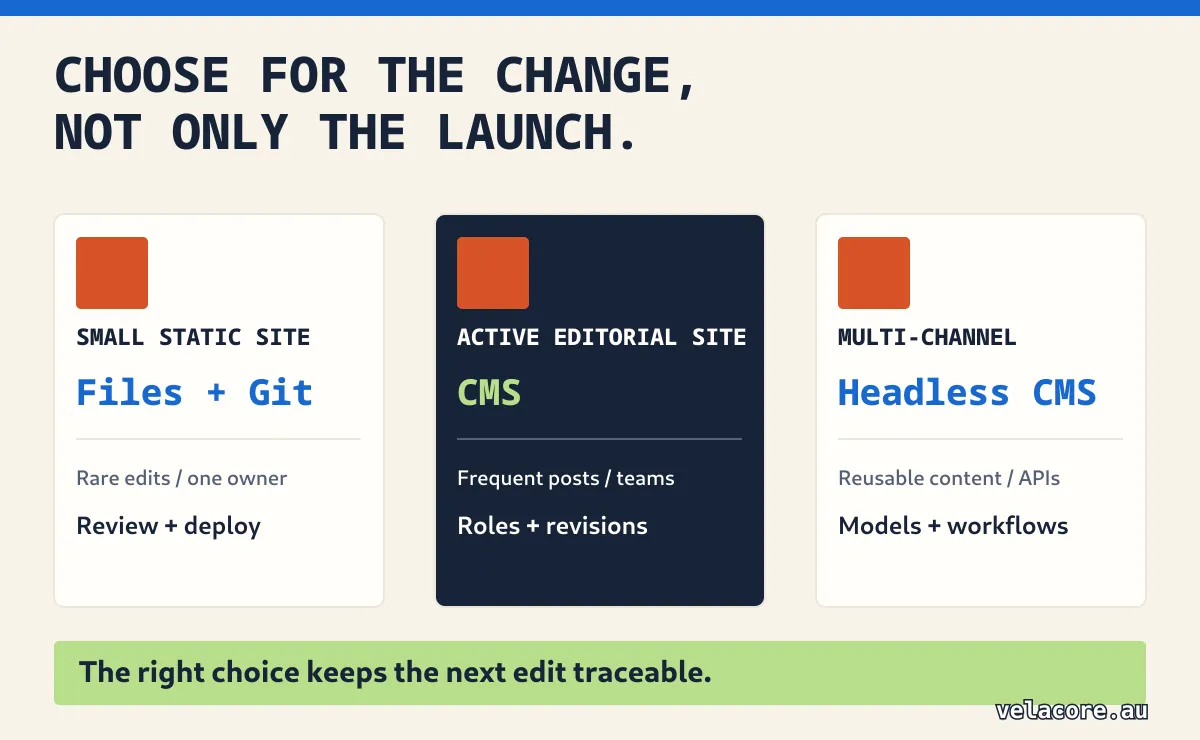
Try the hundredth-change test before buying or removing a CMS. If a service fact changes tomorrow, ask:
- Where is the approved version stored, and where else is it used?
- Who can propose the correction, and who can approve and publish it?
- How will the change reach every relevant page or channel?
- If it is wrong, how will you restore the previous version and preserve the public URL?
If your team can answer those questions without a conventional CMS, keep the leaner setup. If the answers depend on searching scattered files or letting an AI agent publish without a review trail, the workflow needs more structure.
The best setup gives AI a job inside the system
AI should have a defined role: draft from approved facts, surface stale content, prepare a preview and explain its proposed changes. The content system should preserve the approved record, apply publishing permissions and retain a way back. A person should remain accountable for consequential claims and releases. That combination lets teams move faster without making the website harder to trust or maintain.
The right setup makes the next correction routine, not a scramble.
If you are deciding between a lighter site, WordPress for publishing or a headless content layer, Velacore's websites and platforms team can map the content workload before the technology choice. Tell us what your team needs to publish.
Frequently asked questions
Can AI build a website without a CMS?
Yes. AI can help generate a static site, and that may be the simplest choice for a small site with infrequent changes. You still need a dependable way to review, publish, back up and update the files.
Will AI replace WordPress?
AI can reduce some WordPress editing work. For a simple brochure site, an AI-assisted static build may remove the need for WordPress altogether. For a blog or active publishing operation, the jobs of storing posts, managing media, permissions and revisions remain. WordPress, another CMS or a purpose-built system must still handle them.
Is a headless CMS different from the CMS this article describes?
It separates the content back end from the website front end, but it is still a CMS. A custom or AI-assisted front end can use its content API while the back end manages entries, assets and publishing rules.
Does using AI-generated content hurt SEO?
Its origin alone is not the deciding factor. Google's guidance focuses on accuracy, quality and relevance, and warns that creating many low-value pages to manipulate rankings can violate spam policies. Review the content and metadata, then publish material that helps the reader.