When families or participants look for disability support, the first place they turn to is online. That means your NDIS website design is no longer just a branding exercise, it’s the foundation of how people decide whether to trust you with their care.
In fact, research shows that 88% of users won’t return to a site after a poor experience. For NDIS providers, that translates directly into lost enquiries, lost credibility, and lost funding opportunities.
An effective NDIS website balances two priorities:
- Accessibility and inclusivity: ensuring participants of all abilities can use your site.
- Conversion and trust-building: guiding participants and carers to take action confidently.
In this article, we’ll break down the must-have features of an NDIS website that doesn’t just look good, but actively drives enquiries.
Why Accessibility Comes First (WCAG and Beyond)
The NDIS is built on principles of access and inclusion. If your website can’t be navigated by someone using a screen reader or voice command, you’ve already failed at first contact.
Think of accessibility as an extension of care:
- A participant with low vision should be able to resize text and read it without strain.
- A carer should be able to navigate with a keyboard when mobility issues prevent using a mouse.
- Someone who relies on captions should be able to watch your service videos without guessing.
Accessibility is not optional for NDIS providers. With over 4.4 million Australians living with disability (AIHW, 2024), your website needs to be built to the same standard of care you provide in person.
WCAG: The global standard
The Web Content Accessibility Guidelines (WCAG 2.2) set the framework for inclusive design. At minimum, an NDIS website should meet WCAG AA compliance. Compliance with WCAG 2.2 AA isn’t just a legal checkbox, it’s how you tell participants, “We see you. We built this for you.”
Here are some practical steps that will help your website design stay WCAG compliant
- Alt Text for Images: Every service photo, staff introduction, or community event image should have descriptive text for screen readers.
- Keyboard Navigation: Participants with mobility impairments must be able to use your site without a mouse.
- Readable Fonts and Colours: Avoid light grey text on white backgrounds. The contrast ratio should be at least 4.5:1.
- Transcripts and Captions: Videos showcasing your services should always include captions.
Tip: Use free tools like WAVE Web Accessibility Evaluation Tool to test your site’s compliance.
Speak Their Language: Plain English Copywriting
One of the biggest barriers participants face online is complicated, jargon-heavy language. Many NDIS providers unintentionally make their websites harder to understand by filling them with technical terms, acronyms, and government-style copy. The result? Participants and carers feel overwhelmed, confused, and less likely to enquire.
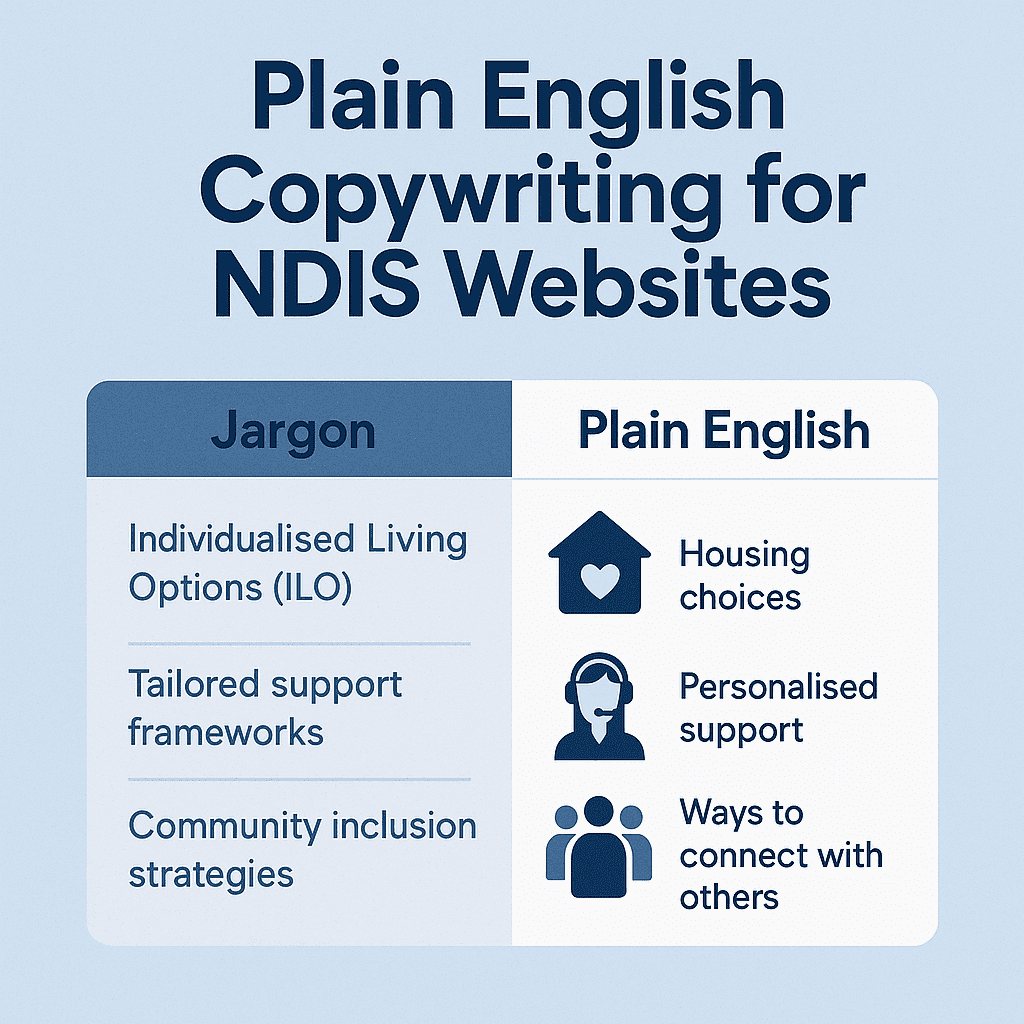
Practical Tips for Plain English Copywriting
- Use short sentences: Break down complex ideas into bite-sized lines.
- Avoid jargon: Instead of “evidence-based allied health interventions,” say “our therapists help with speech, movement, and daily living.”
- Write in second person: Talk directly to participants — “We’ll help you achieve your goals” is warmer than “This service supports participant outcomes.”
- Explain acronyms: The first time you mention OT or SIL, spell it out (e.g., “Supported Independent Living (SIL)”).
- Use headings and bullet points: Make content easy to scan for busy carers.
Tip: Ask a non-industry friend to read your site. If they stumble, simplify further.
Participant-focused CTAs that drive enquiries
A common mistake on NDIS provider websites is using cold, generic buttons like “Submit” or “Send.” These don’t connect with participants; they feel transactional rather than supportive. A good NDIS website design uses CTAs (calls to action) that are clear, empathetic, and designed around participant needs.
Why CTAs matter
- CTAs act as a bridge between interest and enquiry.
- Studies show that personalised CTAs convert 202% better than generic ones (HubSpot, 2023).
- In the NDIS space, a CTA isn’t just about conversion, it’s about showing participants you understand what they’re looking for.
Examples of participant-focused CTAs
Instead of: “Contact Us”
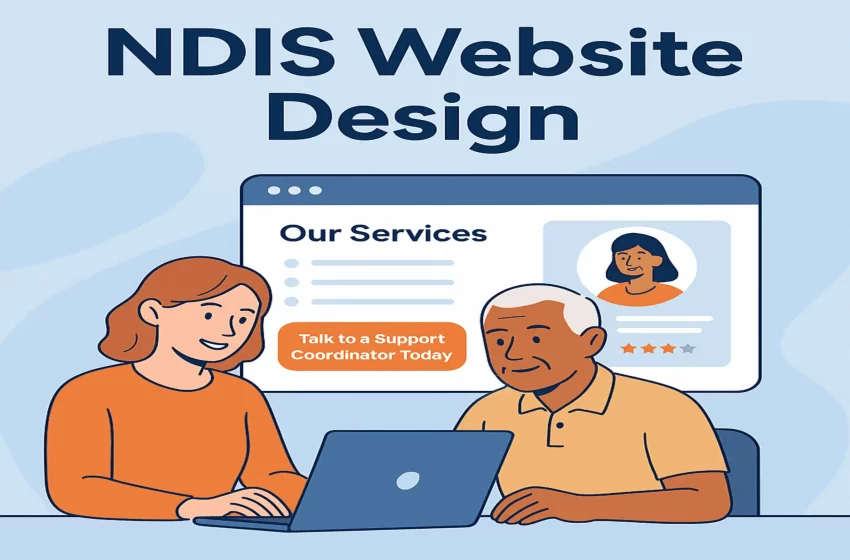
Try: “Talk to a Support Coordinator Today”
Instead of: “Learn More”
Try: “See How We Can Support Your Goals”
Instead of: “Submit Form”
Try: “Book Your Free Consultation Now”
These CTAs feel warmer and directly tie to the participant journey.
Placement strategy
Where you put CTAs is just as important as what they say:
- On service pages: After describing supports like SIL or therapy.
- Beside testimonials: After a participant success story, give readers a clear next step.
- In the header: A “Call Us Today” button that’s visible on every page.
- On suburb landing pages: A CTA tailored to local users, e.g. “Find NDIS services near Geelong.”
Local relevance: Be found where participants search
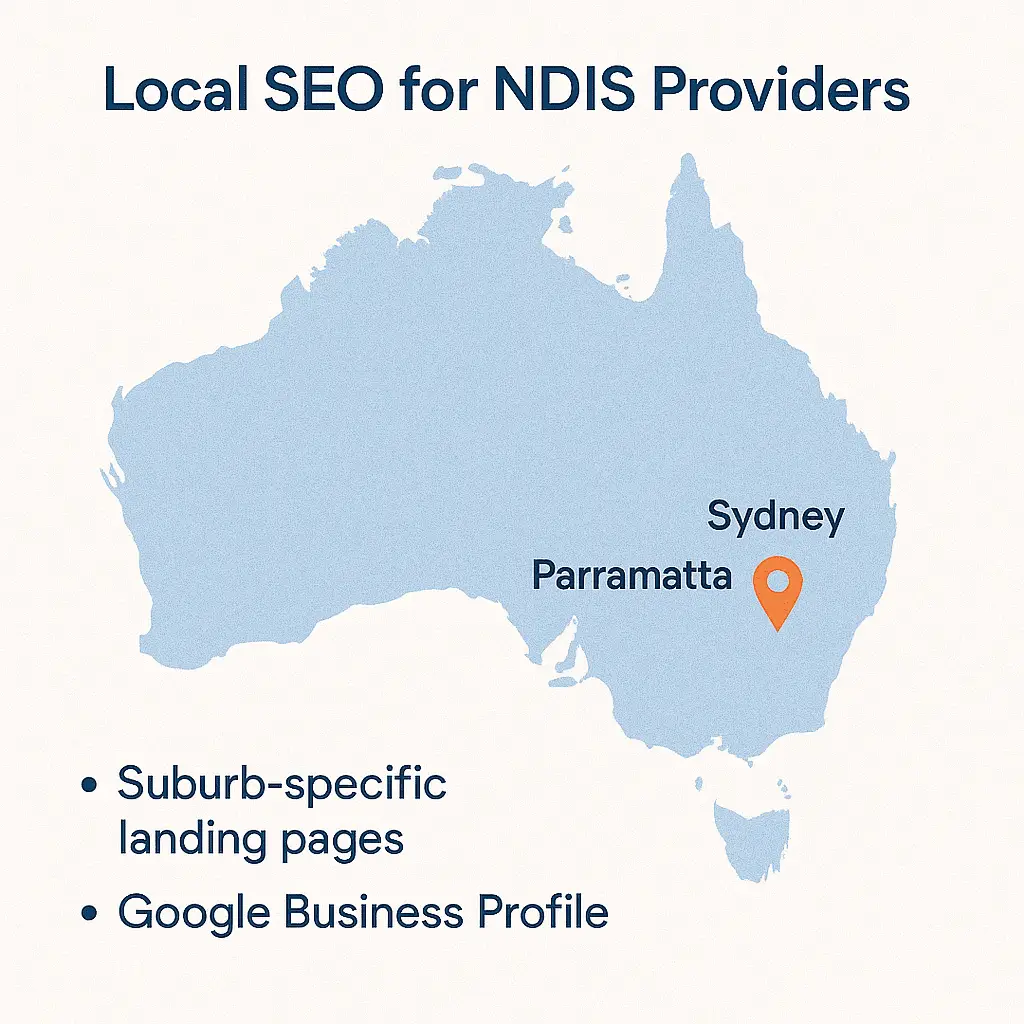
Participants don’t just search for “NDIS provider.” They search “NDIS support in Parramatta” or “disability services near Geelong.”
That’s why local SEO and suburb-specific landing pages are not optional. Each suburb page tells a story: the services available, the staff nearby, the community connections.
Providers who personalise their suburb pages with testimonials, local images, and Google Business Profile integration consistently outperform those with generic “Our Services” pages.
Steps to build local relevance
- Suburb Landing Pages: Create dedicated pages like “NDIS Support in Parramatta” with services, testimonials, and maps.
- Google Business Profile Integration: Embed your profile directly into your website for directions and reviews.
- Local Case Studies: Share participant stories tied to specific regions.
- Community Partnerships: Sponsor a local sports team or disability event — and request a backlink to your site.
Going beyond the basics: Advanced features that set you apart
While accessibility, plain English, participant-focused CTAs, and local relevance are the foundations of strong NDIS website design, forward-thinking providers are now adding advanced features that make their websites not just compliant, but truly participant-first.
These enhancements show that you’re proactive, innovative, and deeply invested in participant outcomes.
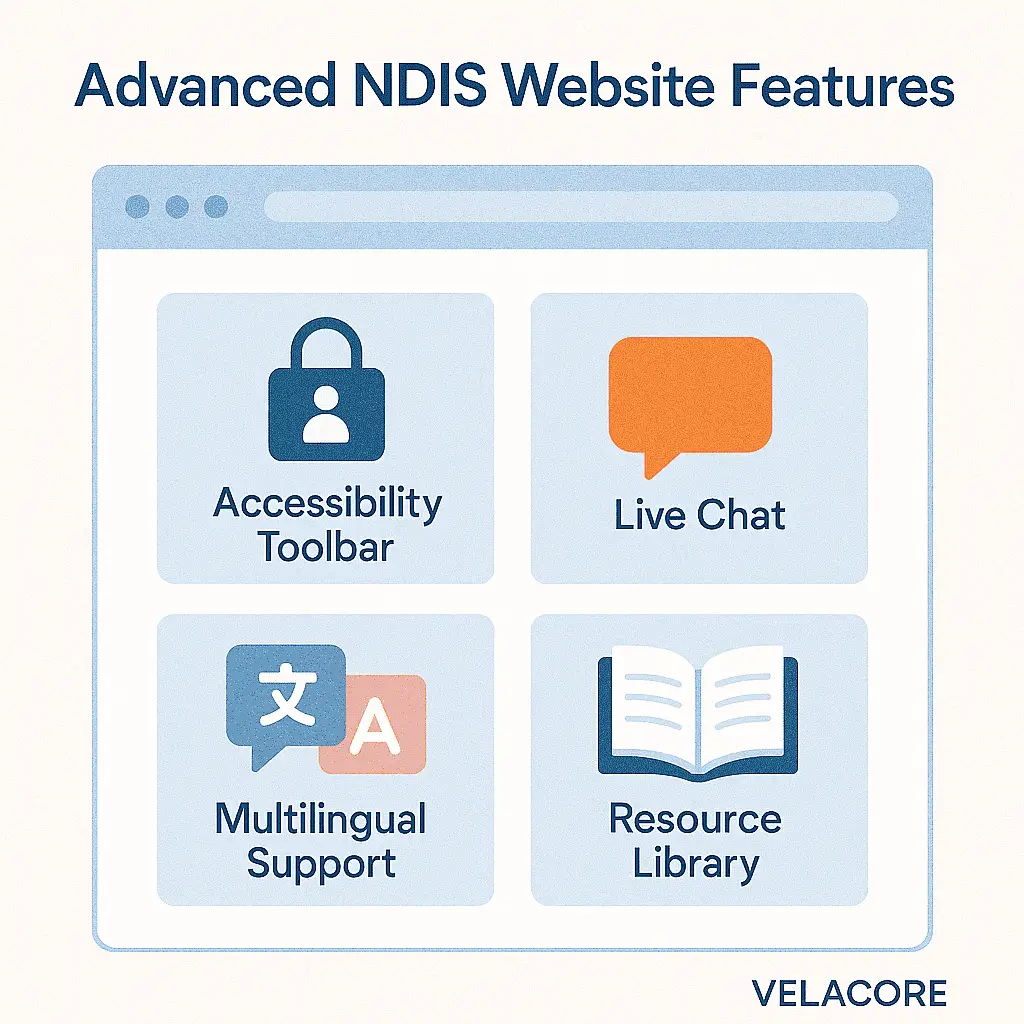
Advanced website features for NDIS providers
- Accessibility toolbar: Give users the ability to change text size, adjust colours, or switch to a dyslexia-friendly font with one click.
- Chat support or enquiry bot: Provide instant responses to common intake questions, freeing up staff while improving participant experience.
- Multilingual options: Many NDIS participants come from culturally and linguistically diverse backgrounds. Offering multiple languages widens your reach and shows cultural sensitivity.
- Resource library: Create a hub of downloadable guides, e.g., “How to Apply for NDIS Funding” or “Understanding Support Coordination.” These resources position you as a trusted educator.
- Booking Integration: Allow families to schedule consultations directly from the website, reducing friction and increasing conversions.
Why advanced features matter
Providers who embrace these tools:
- Stand out in highly competitive suburbs.
- Build trust faster by showing a commitment to inclusion and participant experience.
- Capture enquiries that would otherwise be lost due to friction or unanswered questions.
Partner with Velacore
Building a website that ticks the NDIS compliance boxes is one thing. Building a site that participants actually trust, engage with, and enquire through is another.
At Velacore, we specialise in creating NDIS websites that blend accessibility, participant-first design, and local SEO strategies to drive real results. From WCAG compliance to suburb-specific landing pages, we know what it takes to turn your website into a powerful enquiry engine.
If you’re ready to build a website that reflects your mission and attracts more participants, book a consultation with Velacore today.
Frequently Asked Questions (FAQs) on NDIS Website Design
1. Do NDIS providers really need an accessible website?
Yes. Accessibility isn’t just best practice, it’s essential. 1 in 6 Australians live with disability, and many participants use assistive technologies like screen readers or voice navigation. If your website isn’t accessible, you risk excluding participants before they even make an enquiry. Accessibility also supports SEO since Google factors user experience and WCAG compliance into rankings.
2. What is WCAG compliance, and why is it important for NDIS websites?
WCAG (Web Content Accessibility Guidelines) is the international standard for accessible websites. For NDIS providers, meeting at least WCAG 2.1 AA compliance ensures your site is usable by participants with vision, hearing, cognitive, or mobility impairments. Beyond compliance, it signals that your organisation values inclusivity and participant needs.
3. How can plain English copy improve my website?
Plain English makes your services easier to understand. Many participants and carers find jargon confusing, especially under pressure. By writing in short, clear sentences and explaining acronyms (like SIL or OT), you increase comprehension. In fact, studies show that plain English improves understanding by 47%, which directly boosts trust and enquiries.
4. What are participant-focused CTAs, and how are they different?
Traditional CTAs like “Submit” or “Contact Us” feel cold and generic. Participant-focused CTAs speak directly to user needs. For example, “Book a free call with a Support Coordinator.” These feel warmer, more personal, and more inviting, which can significantly increase enquiry rates.
5. How can I make my NDIS website more relevant locally?
Participants usually search by suburb (e.g., “NDIS support in Parramatta”). Creating suburb-specific landing pages, embedding your Google Business Profile, and including local testimonials can make your site more visible in search results and more relatable to families in your catchment.
6. What advanced features are worth adding to my website?
Advanced features like an accessibility toolbar, multilingual support, live chat, and a resource library can set you apart from competitors. These tools not only improve participant experience but also signal that you go beyond compliance to actively support diverse participant needs.
7. How can Velacore help with NDIS website design?
Velacore specialises in creating accessible, participant-first websites for NDIS providers across Australia. We combine WCAG compliance, plain English copy, local SEO, and advanced trust-building features to deliver sites that do more than look good, they drive real enquiries. Book a consultation with Velacore today.
Is Your Website Working for You?
Most websites don't generate leads. We fix that with custom designs that look great and deliver measurable results for your business.
Get Started With Velacore