Your Google rankings have not moved. Your content is still on page one. But your clicks are quietly dropping, month after month, and nothing in your dashboard seems to explain why.
If that sounds familiar, you are not imagining it, and you are not alone. What you are seeing is the real-world impact of Google AI Overviews, and for most businesses it has been almost impossible to measure until now.
This article walks you through exactly how to calculate your AI Overview traffic loss, which tools to use, what the numbers actually mean, and what you can do once you have the picture in front of you.
First, Understand the Scale of What Is Actually Happening
Before we get into the how, it helps to sit with just how significant this shift has been, because the numbers are not subtle.
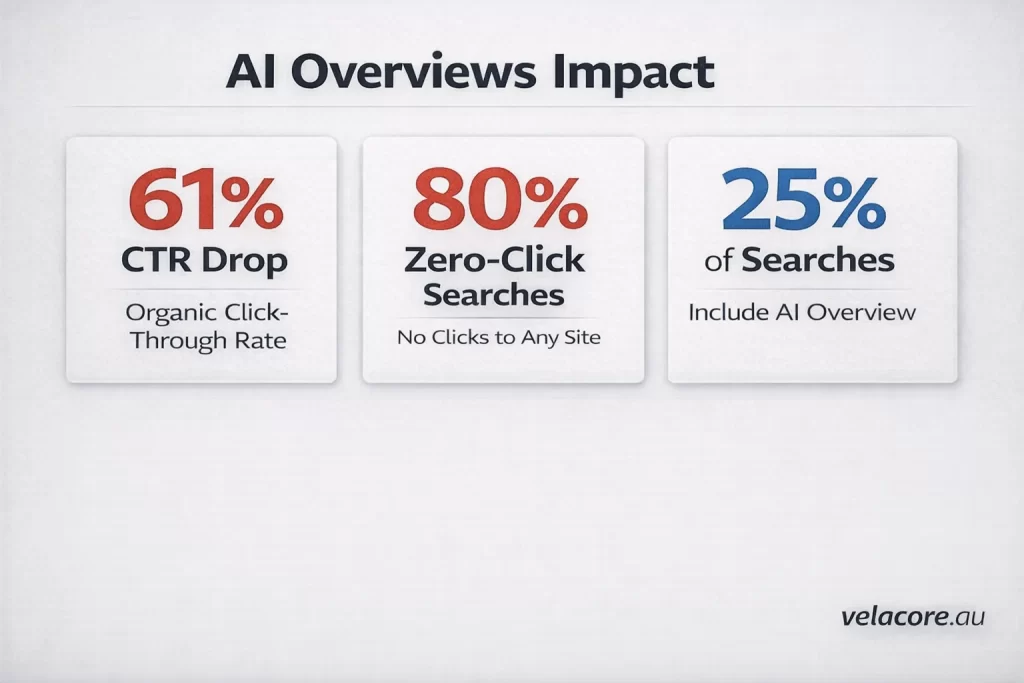
Organic CTR dropped 61% for queries where AI Overviews appear. Seer Interactive, 25M impressions across 42 orgs
Ahrefs found that AI Overviews reduce CTR for the number one ranked page by 58%. Being top of Google used to almost guarantee the click. Now it often does not.
Google AI Overviews now appear in over 25% of all Google searches, more than doubling from 13% just twelve months ago. And U.S. organic search traffic fell 2.5% year-over-year as of January 2026, a figure that looks modest until you account for the 38% decline in Google referral traffic that publishers specifically recorded.
60% of Google searches now end without a single click to any website. SparkToro / Exposure Ninja, 2026
For queries with an AI Overview present, the zero-click rate hits 80 to 83%. The user asked. Google answered. Your website never saw them.
For most businesses, the traffic loss is real, measurable, and growing. The problem is that standard analytics dashboards were not built to show it clearly. That is what we are going to fix.
Why Your Analytics Are Hiding the Real Picture
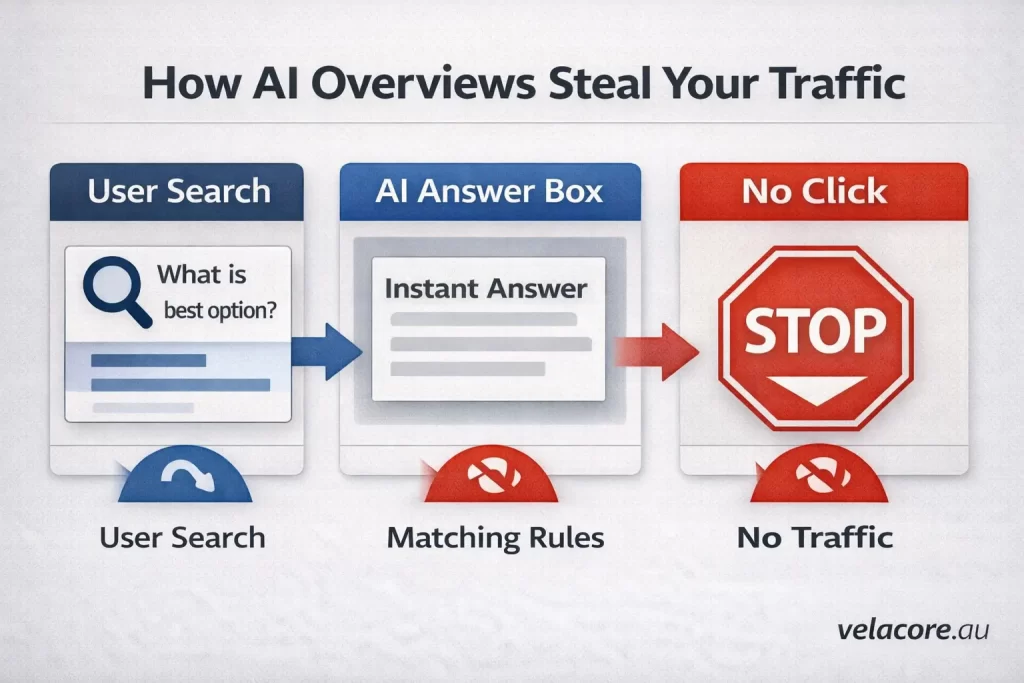
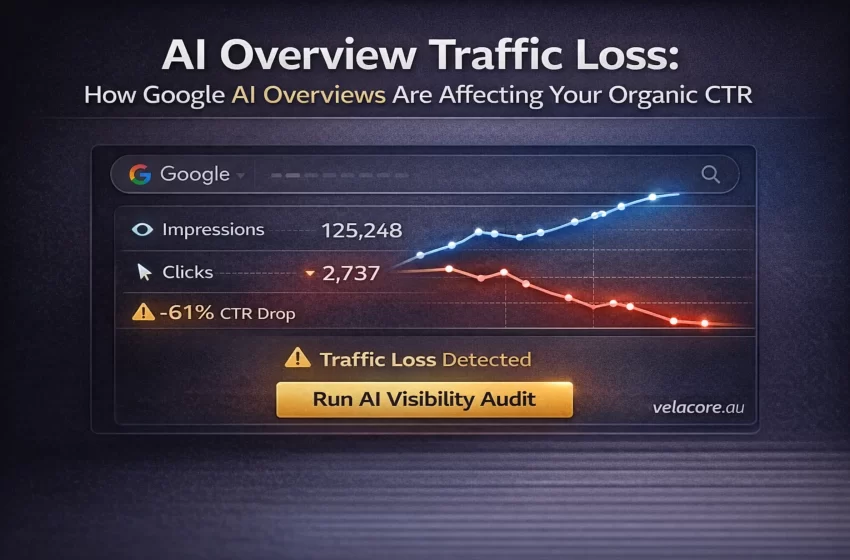
Here is something that catches almost everyone out. When Google shows an AI Overview for a search query, it registers in Google Search Console as an impression, the same as any other organic result. So your impression counts can look healthy, or even grow, while your actual clicks fall.
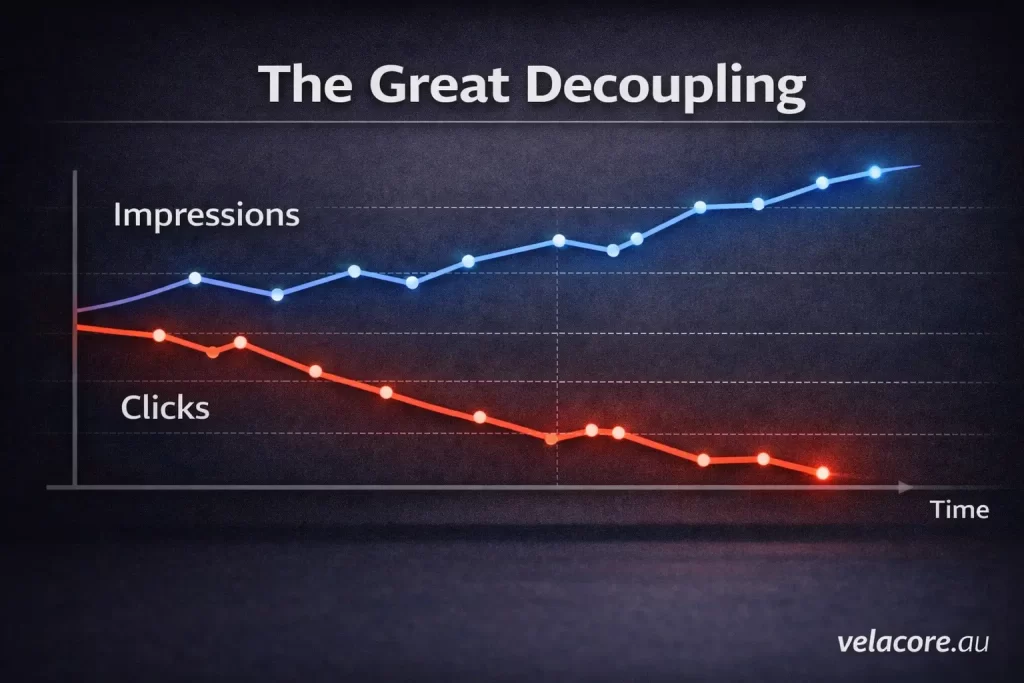
This is called the Great Decoupling: impressions rising while clicks drop. It is one of the clearest diagnostic signals that AI Overviews are absorbing your traffic, and most business owners never notice it.
AI referral traffic from platforms like ChatGPT and Perplexity gets buried inside your Referral or Direct channels by default in GA4. There is no AI row in your standard acquisition report. Traffic arriving from ChatGPT often shows no referrer at all, appearing as Direct, because mobile apps strip referrer headers before the user reaches your site.
The practical result is that GA4’s visible AI traffic represents less than 1% of the actual AI activity on your site. The rest is invisible by default.
To get the real picture, you need to look at three things in the right order.
Step 1: Run the Great Decoupling Test in Search Console
This is the fastest way to see whether AI Overviews are already eating your traffic, and it takes about five minutes.
Open Google Search Console and go to Performance, then Search Results. Set your date range to the last 12 months, and make sure both Total Impressions and Total Clicks are toggled on in the chart view.
What you are looking for is a divergence pattern: impressions trending upward or staying flat while clicks trend downward. If you see that, you are almost certainly experiencing AI Overview impact. The search demand for your content is still there. People are still typing those queries. They are just getting the answer from the AI box without ever clicking through to you.
To sharpen the picture, filter by your most important informational queries. Click on the Queries tab and look for high-impression pages where the CTR has dropped significantly compared to six or twelve months ago. A page that used to convert 4% of impressions to clicks and now converts 1.5% has almost certainly been affected.
Important: even queries without an AI Overview present have seen organic CTR decline 41% year-over-year, suggesting some users are going directly to ChatGPT or Perplexity and bypassing Google altogether.
Step 2: Use the AI Mode Filter in Search Console
Google added dedicated AI search tracking to Search Console in mid-2025, and it is one of the most underused tools available for measuring AI Overview traffic loss.
In Search Console, go to Performance, then Search Results. Click the filter button near the top of the data table and select Search Appearance. You will see options including AI Mode and AI Overviews.
Select AI Mode. This filters your data to show only queries where your content appeared inside Google’s AI-generated responses. You can see impressions, clicks, CTR, and average position specifically for these AI-influenced queries.
The gap between your AI Mode impressions and your click count is your AI Overview traffic loss in its most direct form. If you are getting 10,000 impressions in AI Mode results but only 400 clicks, that is a 96% zero-click rate for that segment.
Run this report for the last 6 months, then export it to a spreadsheet. Sort by impressions to find the queries where you are getting the most AI surface area but the least return. These are your highest-priority pages to optimise for AI citation.
One limitation: this filter only covers Google’s own AI features. It will not show you what is happening in ChatGPT, Perplexity, or Claude. For that, you need the next step.
Step 3: Build an AI Traffic Channel in Google Analytics 4
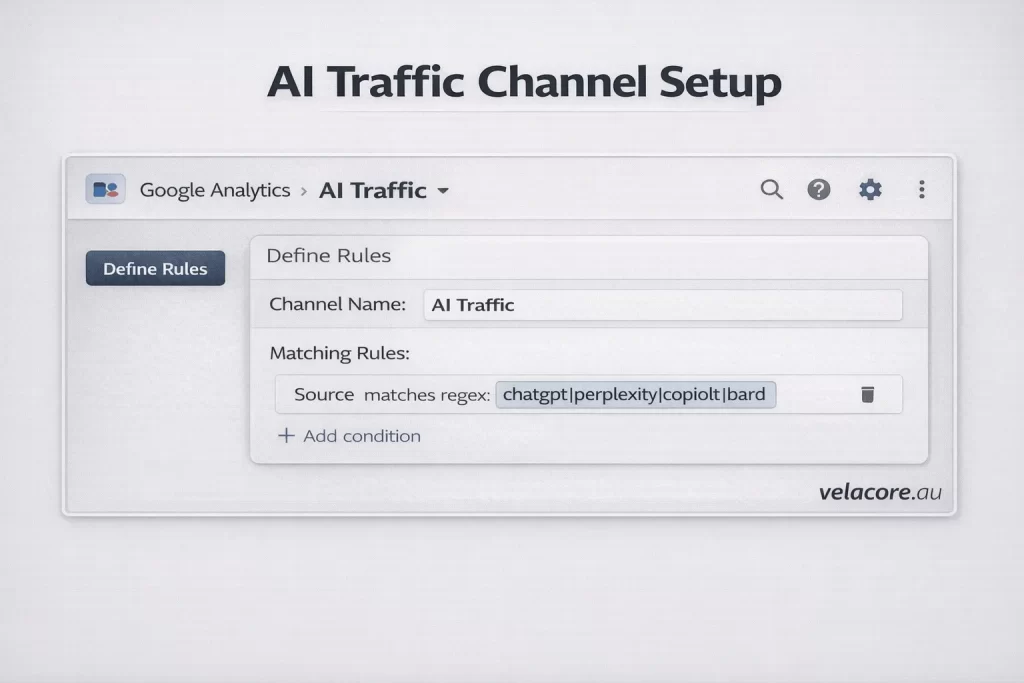
GA4 does not come with a built-in AI traffic category, but it takes about 15 minutes to set one up, and once it is running it will show you the real volume of AI-referred visitors coming to your site.
Go to GA4 Admin, then Data Display, then Channel Groups. Click Create New Channel Group and name it AI Traffic. Inside the group, add a new channel called AI and set the condition to: Session Source matches the following regex pattern:
(chatgpt\.com|chat\.openai\.com|perplexity\.ai|claude\.ai|gemini\.google\.com|copilot\.microsoft\.com)
Save the channel group and move the AI channel above Referral in the priority order so GA4 correctly captures these sessions before classifying them as generic referrals.
What you see will likely surprise you on the low side at first. Free ChatGPT users do not send referrer data, so their visits land as Direct. Mobile app traffic strips referrer headers in many cases. GA4 shows you the tip of the iceberg. But it is still valuable, because the traffic that does arrive with attribution converts at an exceptional rate.
AI search traffic converts at 14.2% vs Google’s 2.8%. Exposure Ninja, 2026
Step 4: Identify Which Pages Are Bleeding the Most Traffic
Now that you have the Search Console picture and the GA4 channel set up, the next step is mapping your losses to specific pages. This is where the data becomes actionable.
In Search Console, go to Performance and click the Pages tab. Set a comparison date range: the last 3 months versus the same 3 months one year ago. Sort by the biggest drops in clicks.
The pages at the top of that drop list are your highest-impact casualties. For each one, note three things: the impressions it is still generating, the CTR now versus a year ago, and what type of content it is.
Informational queries saw 30-40% organic traffic declines as AI Overviews handle these query types best. Digital Applied / Ahrefs 2026
Transactional pages, pricing pages, and service pages are far less exposed. E-commerce queries trigger AI Overviews just 4% of the time compared to 40-50% for informational searches. If your traffic losses are concentrated in your blog and resource content, AI Overviews are almost certainly the cause.
Pages with increasing impressions but falling clicks are the most important to prioritise. The demand is there. The AI box is intercepting it. These pages have the highest upside from optimisation for AI citation.
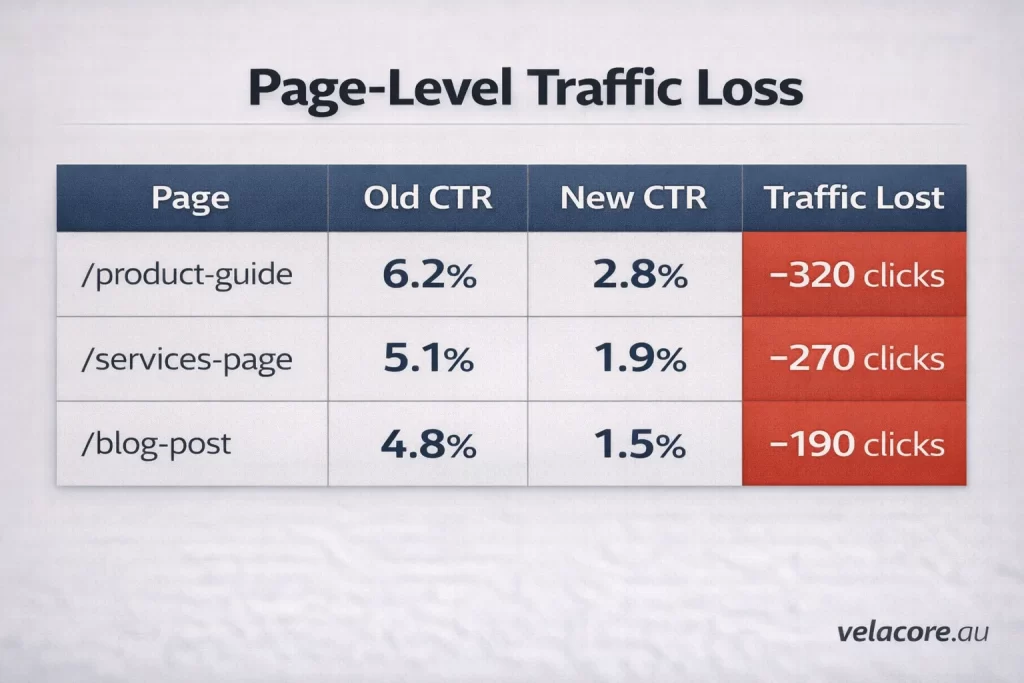
Step 5: Put a Real Number on Your AI Overview Traffic Loss
Once you have identified the affected pages, you can put a real number on what you are losing. This is the step most businesses skip, and it is the step that makes the problem feel tangible enough to act on.
Take your top 10 affected pages from the Search Console comparison. For each one, note the current monthly clicks and the CTR from 12 months ago. Multiply your current monthly impressions by the previous CTR to estimate what your clicks would have been without AI Overview impact.
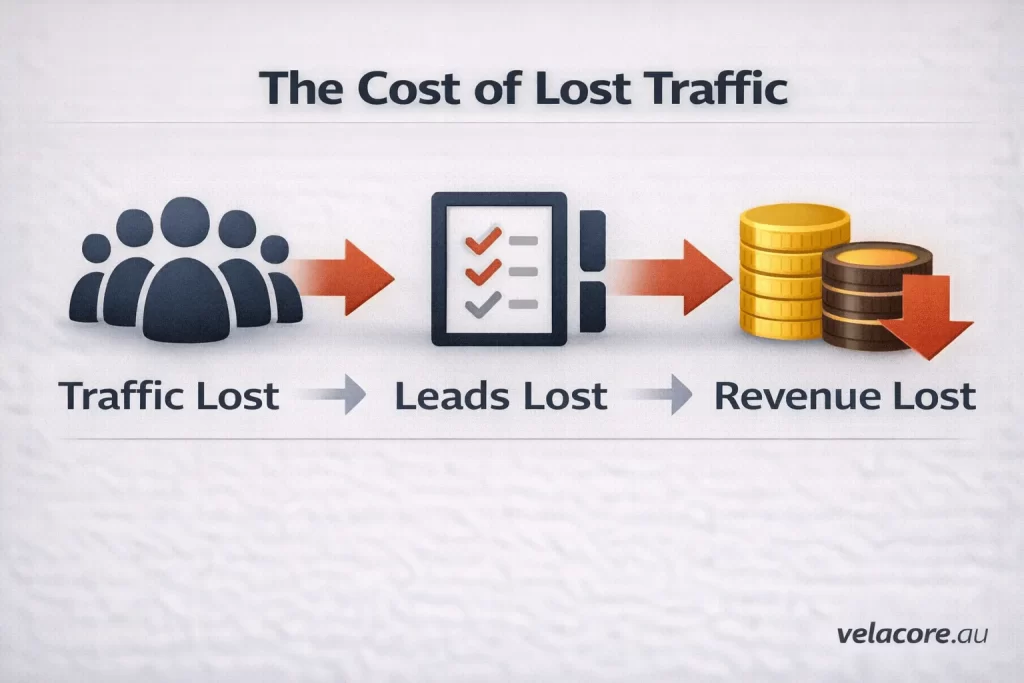
The difference between that estimate and your current clicks is your monthly AI Overview traffic loss for that page. Scale that across your full site using the average percentage decline from your highest-hit content category, and you have a rough total.
B2B technology businesses face AI Overview exposure rates of around 70% for their typical query types. Digital Applied, 2026
Understanding this number matters for two reasons. First, it helps you have the right conversation with your team or agency about why traffic is down. Second, and more importantly, it shows you the upside. That lost traffic is sitting in AI Overviews right now, being served to the exact audience you want. You just need to be the source those AI Overviews are citing.
The Good News: Being Cited Flips the Entire Equation
Here is the part most reports leave out, and it genuinely changes the picture.
Brands cited in AI Overviews earn 35% more organic clicks and 91% more paid clicks than non-cited brands for the same queries. Seer Interactive, 2025
Getting cited does not just prevent the traffic loss. It actively multiplies the traffic you receive. The reason comes back to intent. When someone reads an AI Overview that recommends or cites your business, they arrive already partially convinced. They have had your brand validated by an independent AI system before they even visit.
So the response to discovering your AI Overview traffic loss is not to mourn the clicks you are no longer getting. The response is to become the source Google’s AI is pulling from for your key topics. That is what Generative Engine Optimisation is designed to do, and it starts with understanding your current position, which is exactly what this measurement process gives you.
Want a complete picture of where your site stands in AI search? Our AI visibility audit is the right starting point. Run your AI visibility audit.
What to Do Next: Three Outcomes and What Each One Means
Once you have run through these steps, you will land in one of three situations.
Impressions Up, Clicks Flat or Slightly Down
AI Overviews are touching your content but the impact is moderate. Your priority is protecting your informational content coverage while optimising your existing high-impression pages for citation eligibility.
Impressions Stable, Clicks Down Significantly
This is the classic Great Decoupling pattern. AI Overviews are intercepting a meaningful portion of your traffic. Your priority is a structured GEO optimisation program targeting your highest-impression, lowest-CTR pages first.
Both Impressions and Clicks Declining
This is a more serious signal. Your content may be getting displaced from AI results entirely, not just bypassed after appearing. You likely have a combination of AI Overview impact and underlying content quality issues that need to be addressed together.
Whichever picture you find, the measurement work you have done here is the foundation everything else is built on. You cannot fix what you have not measured.
Want help running this analysis or building a plan to recover AI Overview traffic? Our digital marketing services at Velacore are built for exactly this. Talk to the Velacore team.
Ready to understand exactly what AI is doing to your traffic? Contact Velacore for a free assessment.
Frequently Asked Questions
How do I know if AI Overviews are causing my traffic drop?
The clearest signal is the Great Decoupling pattern in Google Search Console: impressions holding steady or growing while clicks decline. If your rankings have not changed but your CTR has dropped significantly over the past 6 to 12 months, AI Overviews are almost certainly a major factor. This is especially true for informational content like guides, explainers, and how-to articles.
Can I track AI Overview traffic in Google Analytics?
Not directly through standard reports. Google Analytics 4 does not have a built-in AI traffic category, so AI referral sessions are scattered across Referral and Direct channels by default. You can set up a custom channel group using a regex filter to capture sessions from known AI platforms like ChatGPT and Perplexity. Even then, a significant portion of AI-influenced traffic remains invisible because many AI apps strip referrer headers before users arrive at your site.
Does being cited in an AI Overview actually help my traffic?
Yes, meaningfully. Research by Seer Interactive found that brands cited in AI Overviews earn 35% more organic clicks and 91% more paid clicks than non-cited brands ranking for the same queries. AI citation functions as a trust signal. Users who arrive from an AI-cited source are already partially convinced and convert at substantially higher rates than typical organic search visitors.
Which types of content are most affected by AI Overview traffic loss?
Informational content takes the heaviest hit. How-to guides, explainers, definition articles, and educational content are the query types AI Overviews are designed to answer directly. Transactional pages, product pages, pricing pages, and local service pages are far less exposed. If your blog and resource content is declining while your service pages hold steady, AI Overviews are the most likely cause.
Is the traffic lost to AI Overviews coming back?
Not in its original form. The shift in user behaviour toward AI-generated answers represents a structural change in how people use search, not a temporary algorithm fluctuation. However, businesses that optimise for AI citation can recover and often exceed their previous traffic performance, because cited brands receive amplified traffic rather than just restored traffic. The opportunity is not to fight the change but to position within it.
Is Your Website Working for You?
Most websites don't generate leads. We fix that with custom designs that look great and deliver measurable results for your business.
Get Started With Velacore